James Markgraf avatar
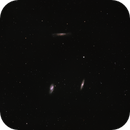
I'm just getting started with mono imaging and the processing that goes into it and would appreciate feedback.

Process:
  • Stack and align with WBPP
  • Graxpert
  • StarXTerminator to remove the stars
  • Clone stamp to clean up the one dust mote that no amount of flats seems to remove (I've gotta pull my camera to clean the sensor window)
  • Pixel math to bring the stars back in
  • Channel combination to create the RGB image
  • Background normalization
  • Color calibration
  • BlurXTerminator
  • StarXTerminator on Ha and RGB
  • SetiAstro's Continuum Subtraction script for Ha
  • SetiAstro's Star Stretch script on the stars only image
  • SetiAstro's Statistical Stretch script on the starless images
  • Curves transformation on RGB
  • Curves transformation on Ha
  • Curves transformation on Lum
  • LRGB combination to add L to RGB
  • Combine H-Alpha script to bring the Ha in to RGB
  • Some more curves to address the background a little bit
  • HLP's Stars Back script to bring the stars back in
  • NoiseXTerminator to clean up
  • SetiAstro's signature add script (forget the name off the top of my head)
  • GIMP to shrink the image down a little from its original size (96 MP after drizzle integration!)


This workflow is based on a SetiAstro YouTube video that I found works well for me. I know I could use SPCC instead of Color Calibration but I had some funky issues with getting the astrometric solution on my image, so I skipped that for now. I also know I'm using a lot of scripts instead of using the processes behind them, but, aside from Continuum Subtraction, I could replace most scripts with the underlying processes if the scripts went away.
Helpful
Scott Stirling avatar
After drizzle integration it is I think normal to resample the resulting image back to its original dimensions, which reveals its improvement on factors such as FWHM, noise and Eccentricity.

Looks good.  There’s a lot more data to be captured there because that area has a lot more stars and IFN and a long tail of stars or dust on the “Hamburger Galaxy.”   Keep at it — Leo is near zenith at a reasonable hour this time of year, get more data and show us how it comes out.
Helpful Insightful Respectful Engaging Supportive
Rabeea Alkuwari avatar
Things that can improve your image:

1. replace LRGB combination with Imageblend script - this way u will have more control on luminance/color blend
2. SPCC, if you have issues applying it i always apply SPCC pre strech and it always seem to work
3. learn GHS to stretch ur images - it will give you more control on what u want to display in terms of signal. Displaying hamburger galaxy’s tail is a bit challenging but to me it was only achievable using GHS
4. HDRMT post stretch (on lum image) can show lots of detail on galaxies- make sure u have lum mask option on and play with layers to your taste
Helpful
James Markgraf avatar
Scott Stirling:
There’s a lot more data to be captured there because that area has a lot more stars and IFN and a long tail of stars or dust on the “Hamburger Galaxy.”   Keep at it — Leo is near zenith at a reasonable hour this time of year, get more data and show us how it comes out.


I actually got some more lights the other night, so I'm going to try to up my total exposure time and see what I get. Being so close to Philadelphia, light pollution in my area is HORRIBLE. I'm on the verge of being Bortle 9, so I try to keep my exposures relatively short and just take as many as I possibly can.

I'll try resampling after everything is said and done and see how it looks. Thanks for the input.
Well Written
James Markgraf avatar
Rabeea Alkuwari:
Things that can improve your image:

1. replace LRGB combination with Imageblend script - this way u will have more control on luminance/color blend
2. SPCC, if you have issues applying it i always apply SPCC pre strech and it always seem to work
3. learn GHS to stretch ur images - it will give you more control on what u want to display in terms of signal. Displaying hamburger galaxy’s tail is a bit challenging but to me it was only achievable using GHS
4. HDRMT post stretch (on lum image) can show lots of detail on galaxies- make sure u have lum mask option on and play with layers to your taste

I'll have to check out the ImageBlend script. I never even thought to look to see if there was one available. I skipped SPCC at the time of this image because I had some issues with plate solving the image. I think that perhaps there was an issue with my GAIA catalog because I reloaded a fresh copy and my solving is working again, so I'll definitely give SPCC another shot. I've been playing around with GHS a bit but still not quite there in terms of comfort level (I seem to have a heavy hand sometimes). I have not played around with HDRMT so I'll definitely give that a go.

I am going to re-stack my images since I have more lights to add. I'll incorporate your suggestions into the process and see how it goes. Thanks for the input.
Well Written Respectful Supportive
Related discussions
Hot Stars after recombining with starless
Hi all, I'm hoping you have some tips on how to deal with this. I'm post-processing and here's the basic summary. HA,S2,O3 stacked images for starless -cropped -DBE -RGB combine -BlurX -starnet2 -colormask, curve transformation a bit -str...
Discusses mono imaging stacking and alignment, relevant to your RGB star processing workflow.
May 18, 2023
[RCC] Galaxy post processing M101
Request you to provide your critique - It is my first attempt to post-process galaxy data. I obtained the data from TAIC workshop. The LRGB subs were already stacked and registered, even cropped to good extent. I proceeded with these steps, providing...
Author processes mono imaging; galaxy post-processing critique could inform their workflow.
Aug 19, 2025
New star removal tool
There’s finally a new star removal tool out there that’s worth looking at. It’s called Zenith-V1 by Syqon. It’s available as a script for both Siril and SetiAstroSuite, not sure about PI but I can’t imagine it won’t make its way there at some point. ...
Author uses StarXTerminator; new star removal tool directly relevant to their process.
Feb 5, 2026
What recipes do you use?
I've been imaging OSC for the past 3 years and recently switched to monochrome. I use Pixinsight. Combining L with RGB reminds me of apple pie. And there's a million recipes for apple pie. What recipes do you use for combining L with RGB? I've been u...
Author recently switched to monochrome; similar workflow transition experience highly relevant.
Aug 27, 2025
Stacking in APP + Color Calibration in PI SPCC leads to green cast - any help?
Hello! I used to stack my images in Astro Pixel Processor (APP) and then color-calibrate (SPCC) and deconvolve them (BlurXterminator) in Pixinsight. Why stacking in APP? - Because I am used to it from before acquiring PI and I found it was much faste...
Addresses mono imaging stacking and PixInsight processing techniques for deep sky objects.
Apr 17, 2023