Hi All
I am imaging a dusty region, and when stacking, I can see that my flats have not correctly removed a particular artefact.
Any input on what I might be missing here??
I cannot understand what I am not doing correctly to prevent this annoying artefact from showing up in my registered images.
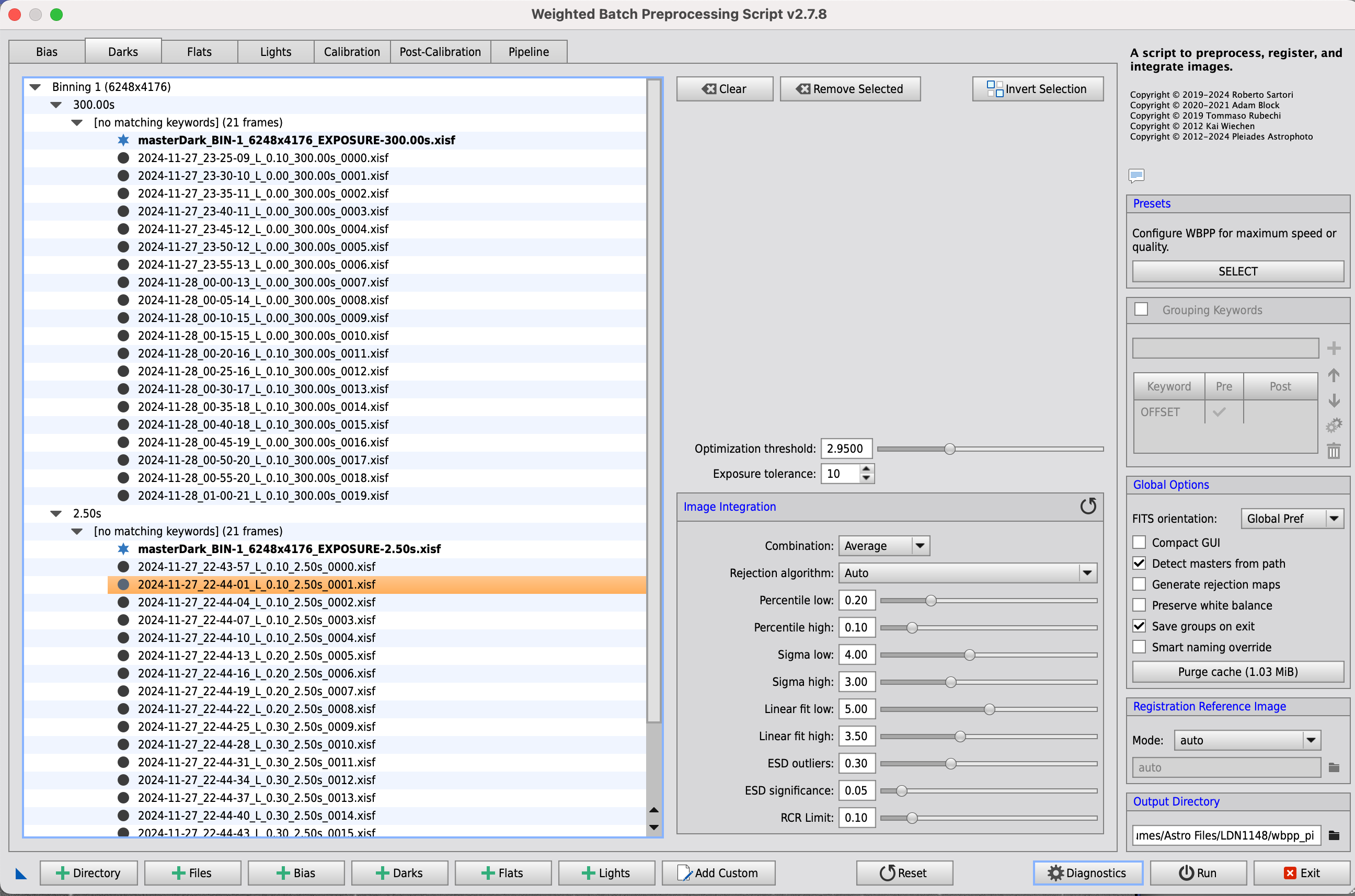
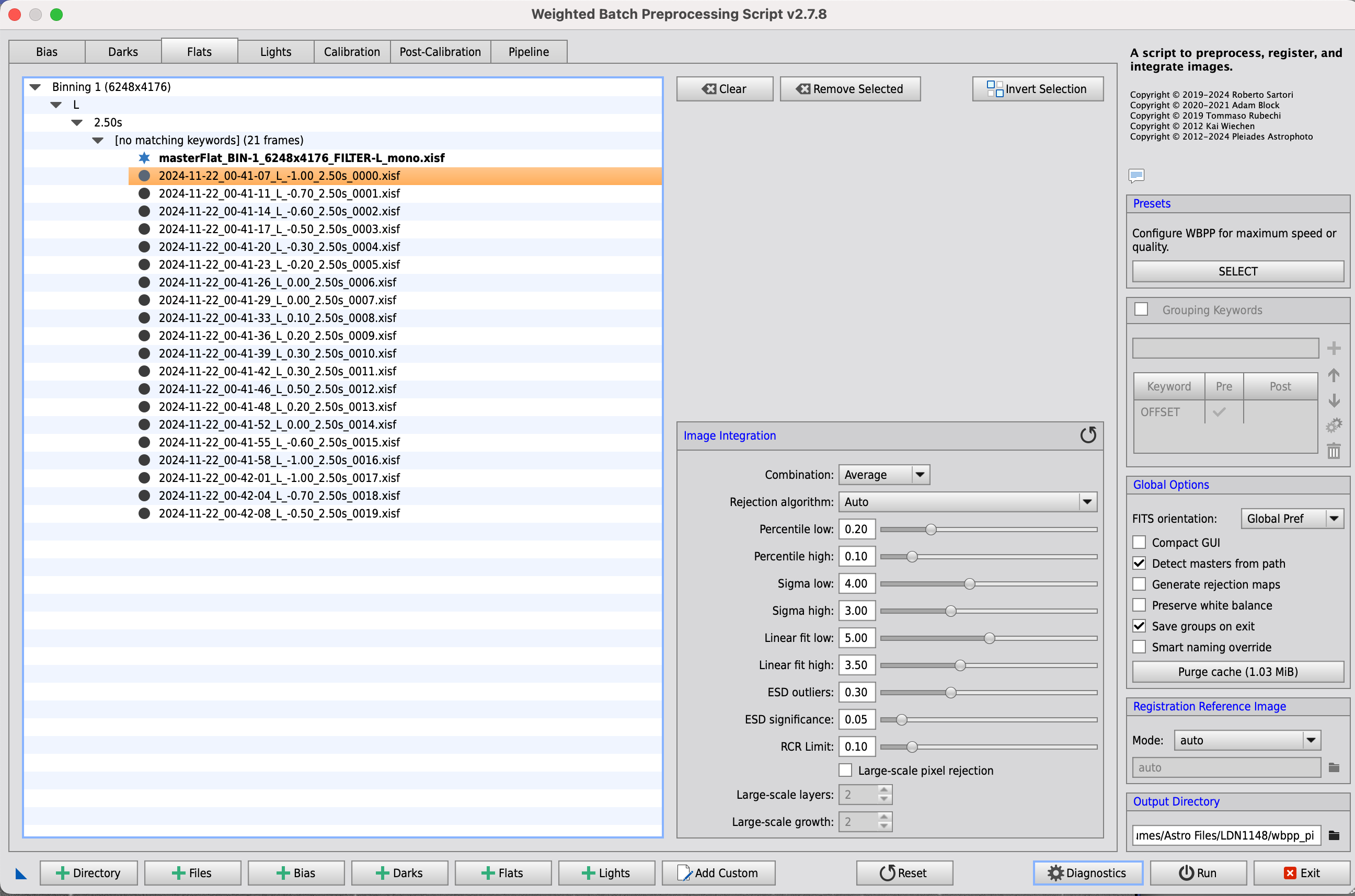
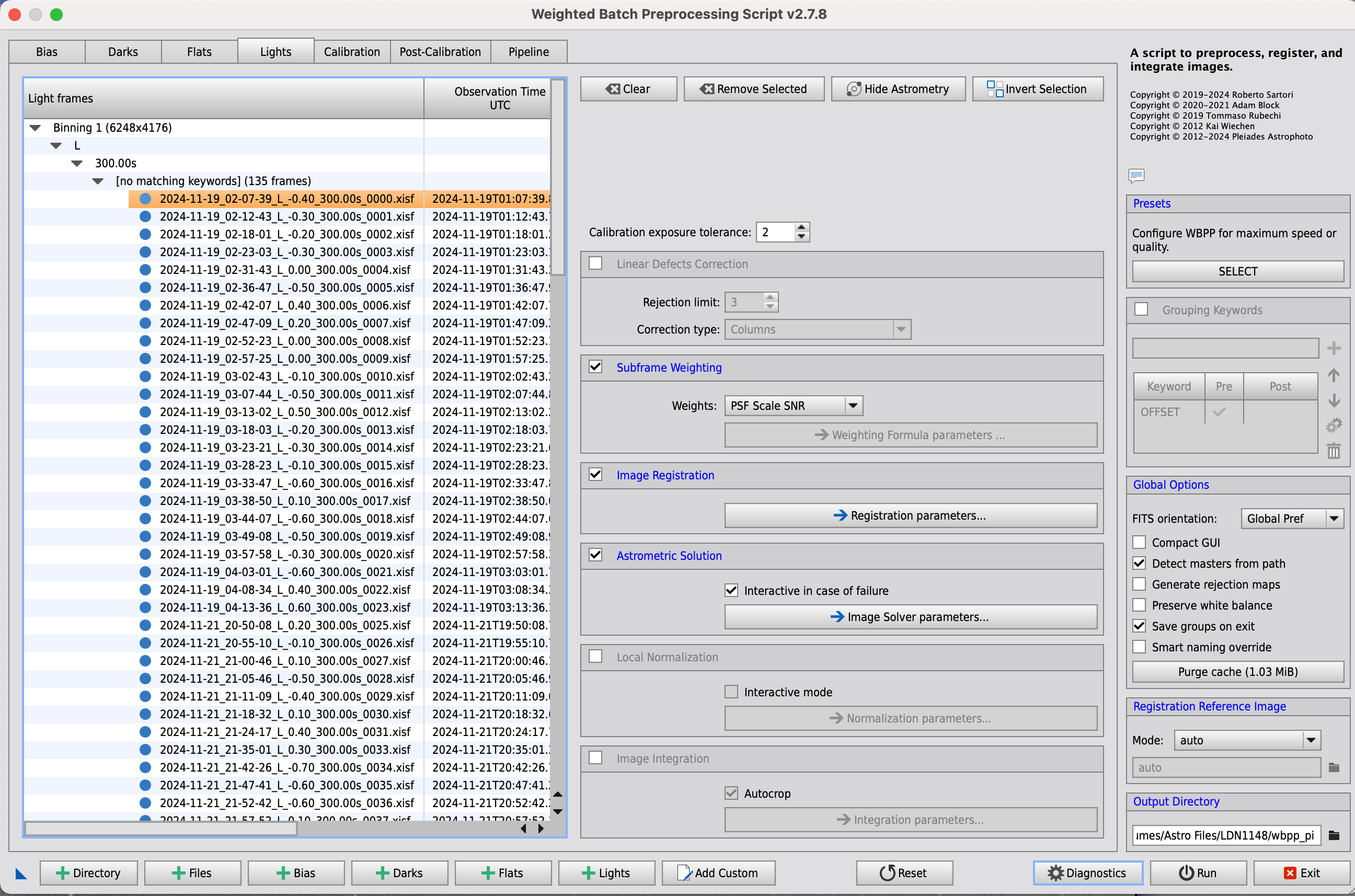
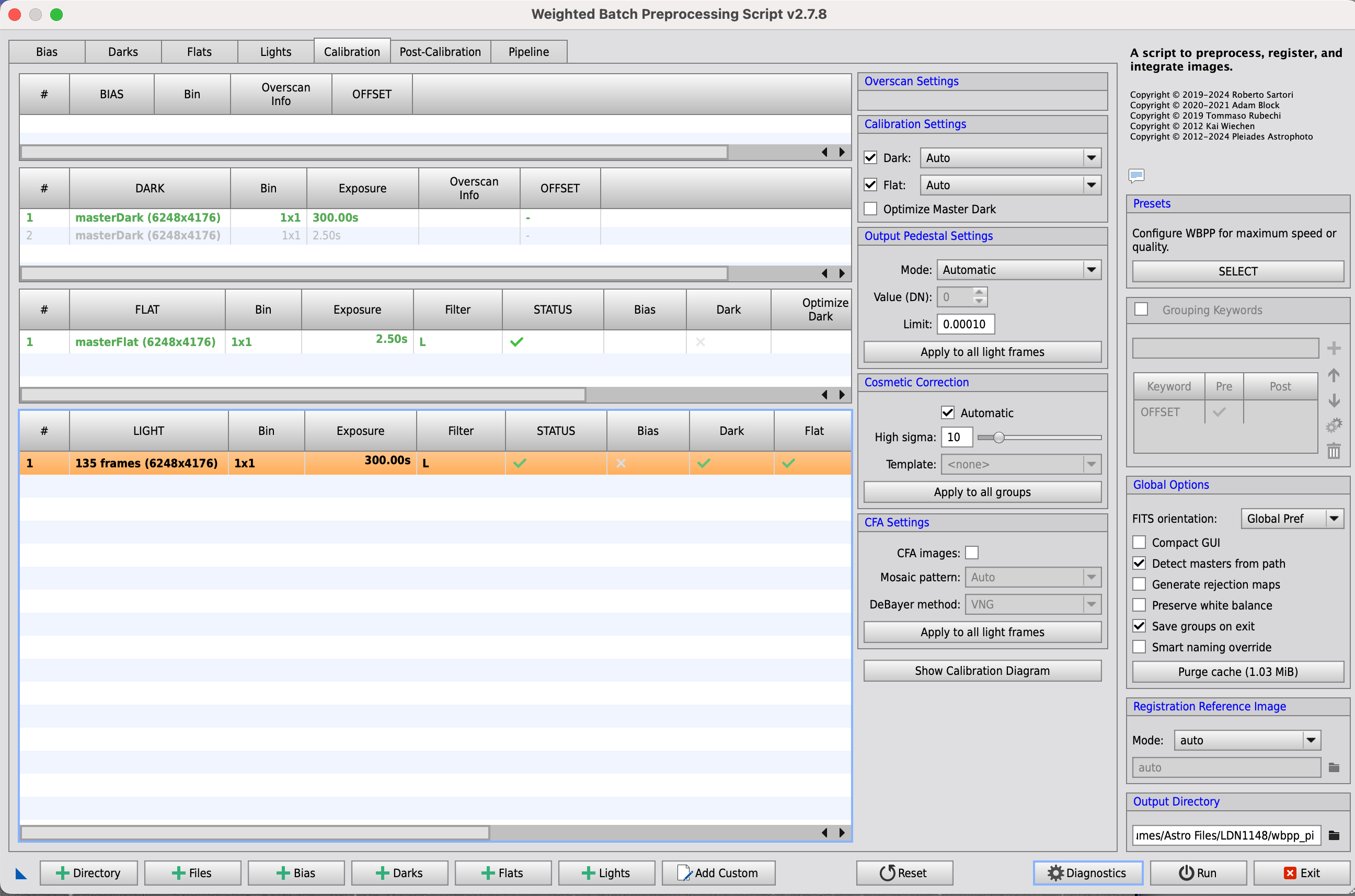
Example files from all steps of my process is included, all settings in WBPP as well.
If I can provide anymore information, please let me know.
Any input on what I can improve or change to remove this is much appreciated.
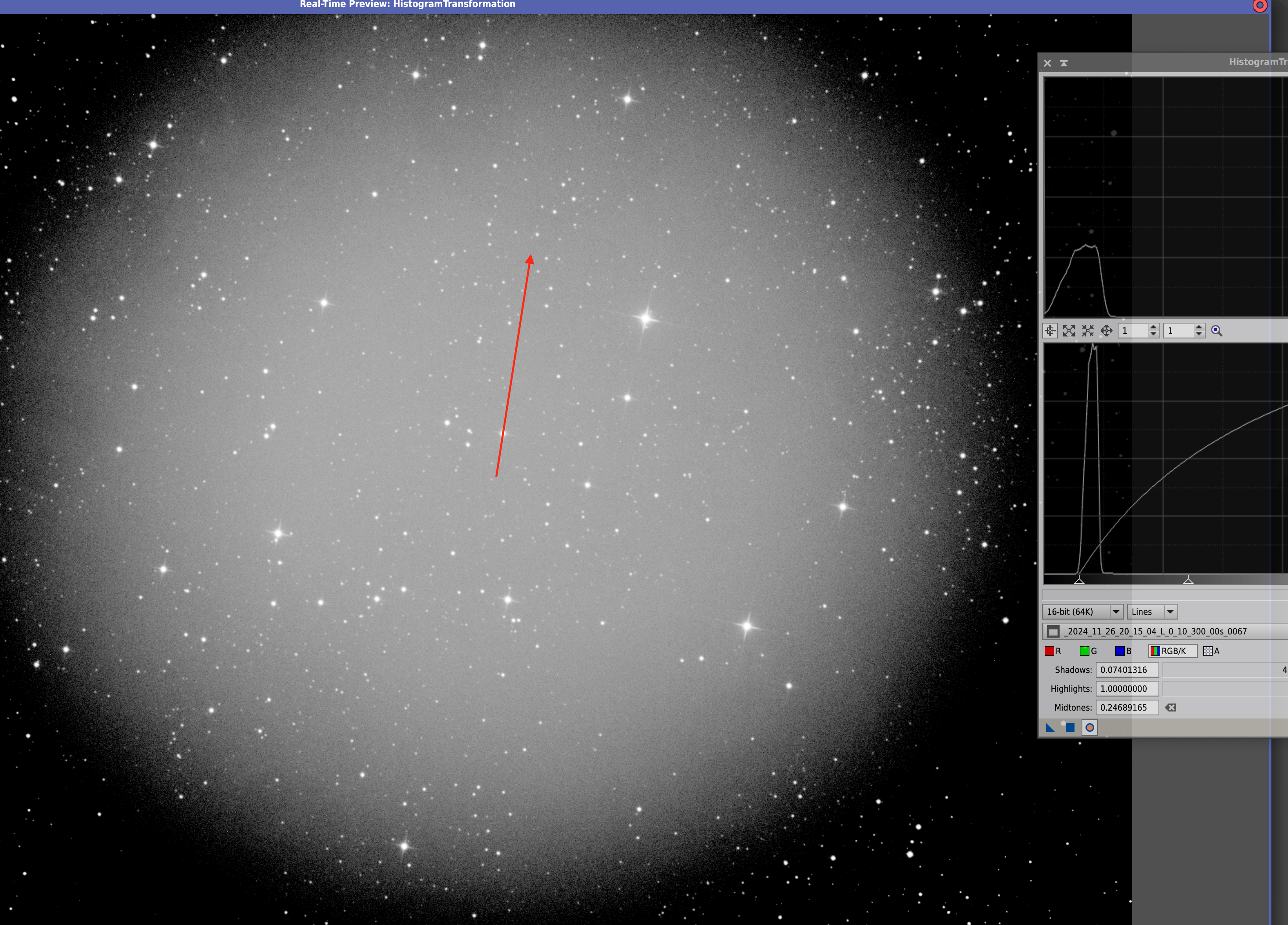
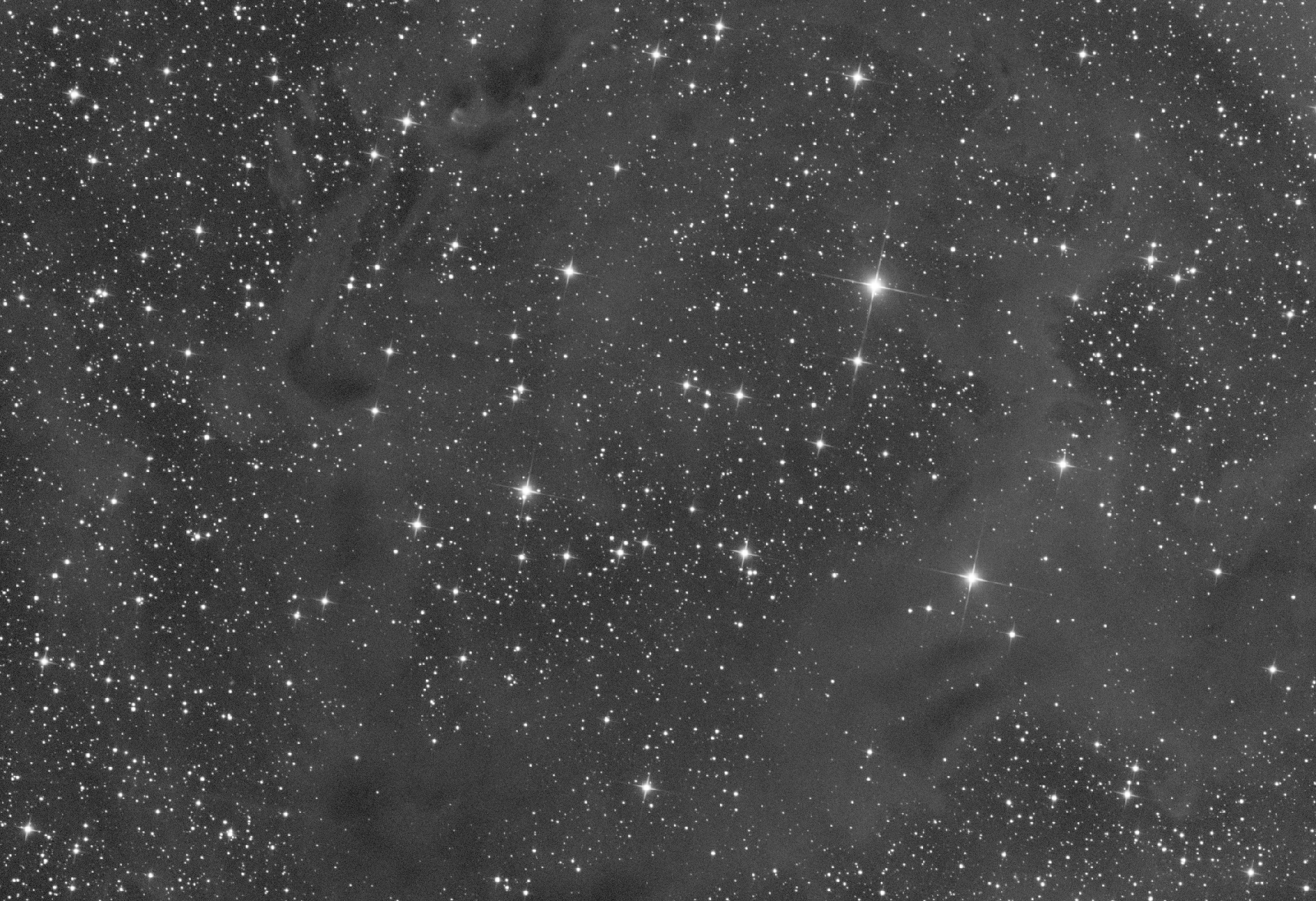
This is a "boosted autostretch" showing the artefact in a registered image.
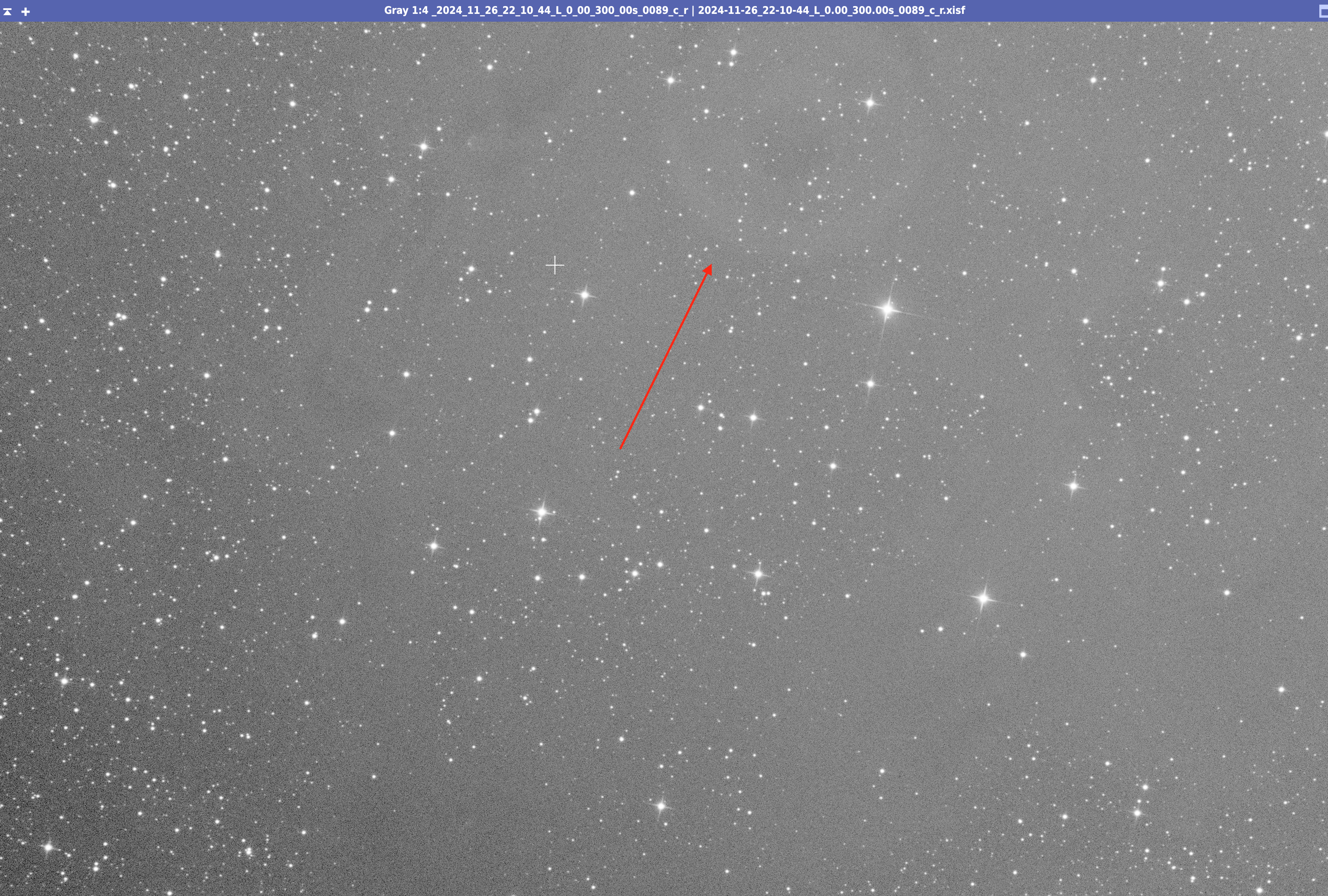
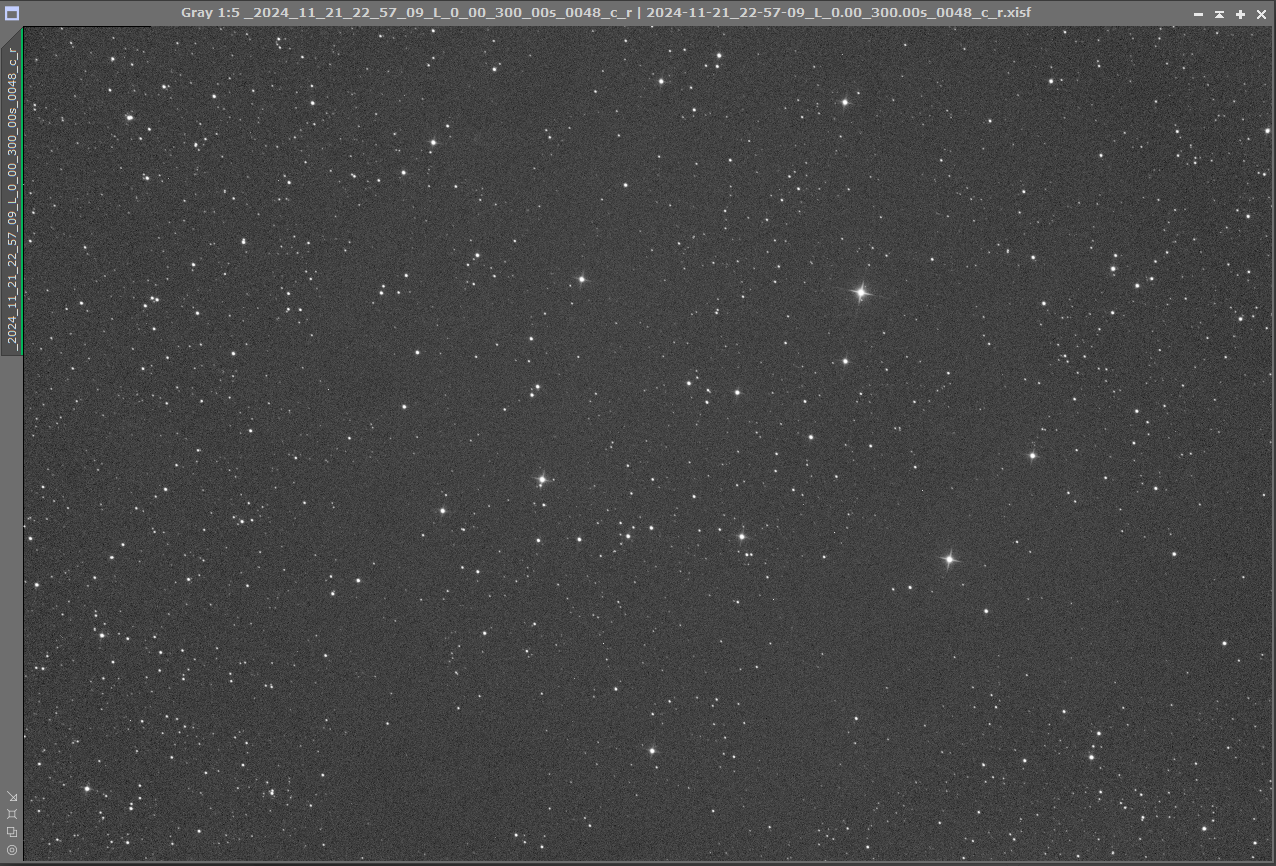
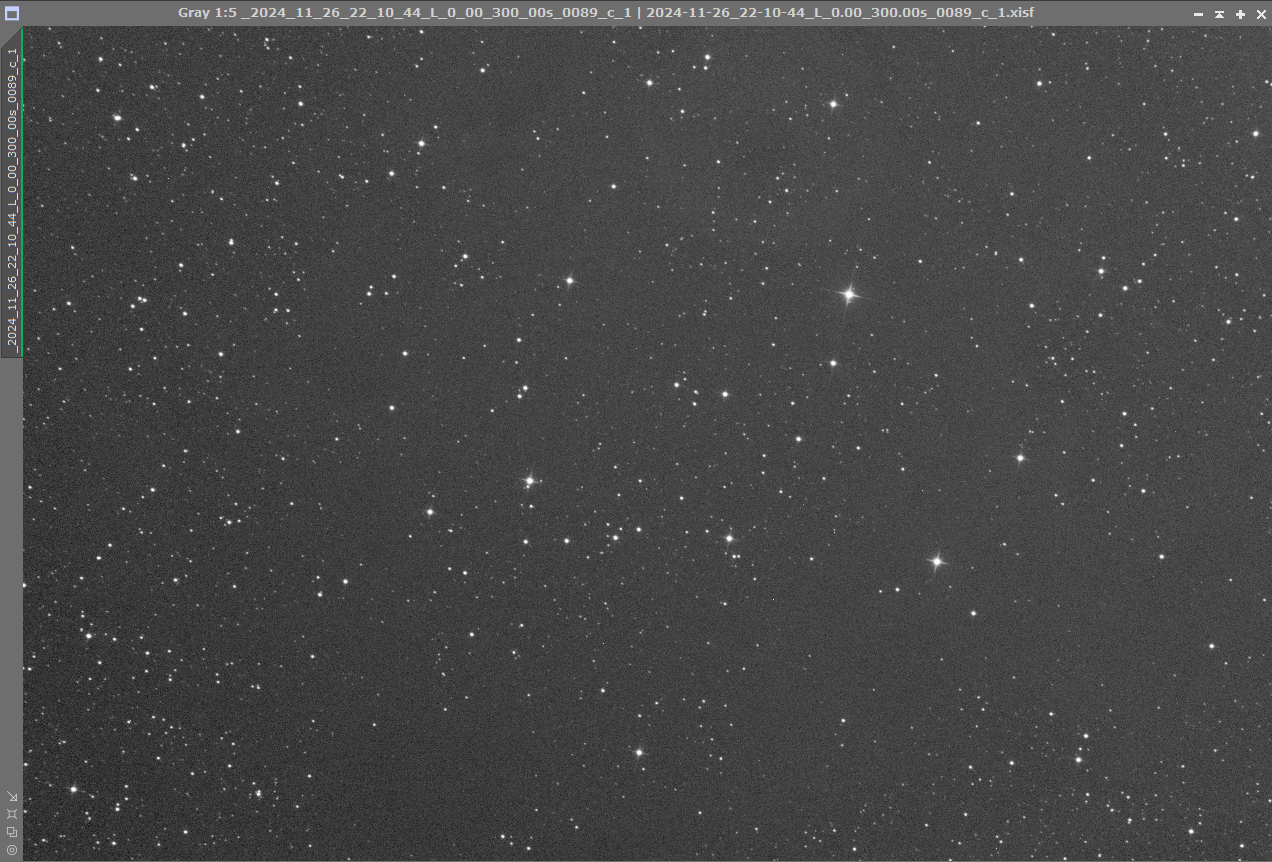
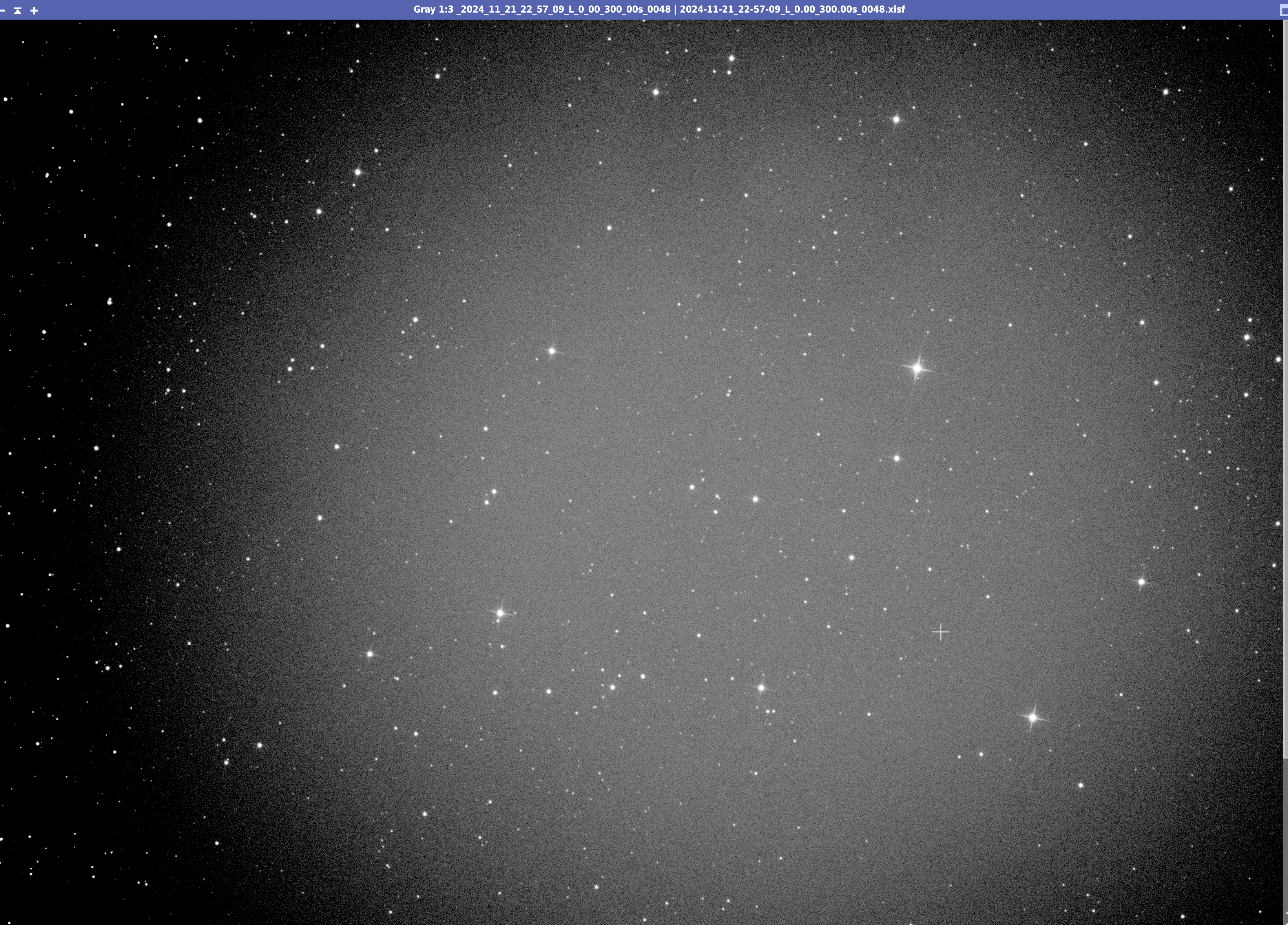
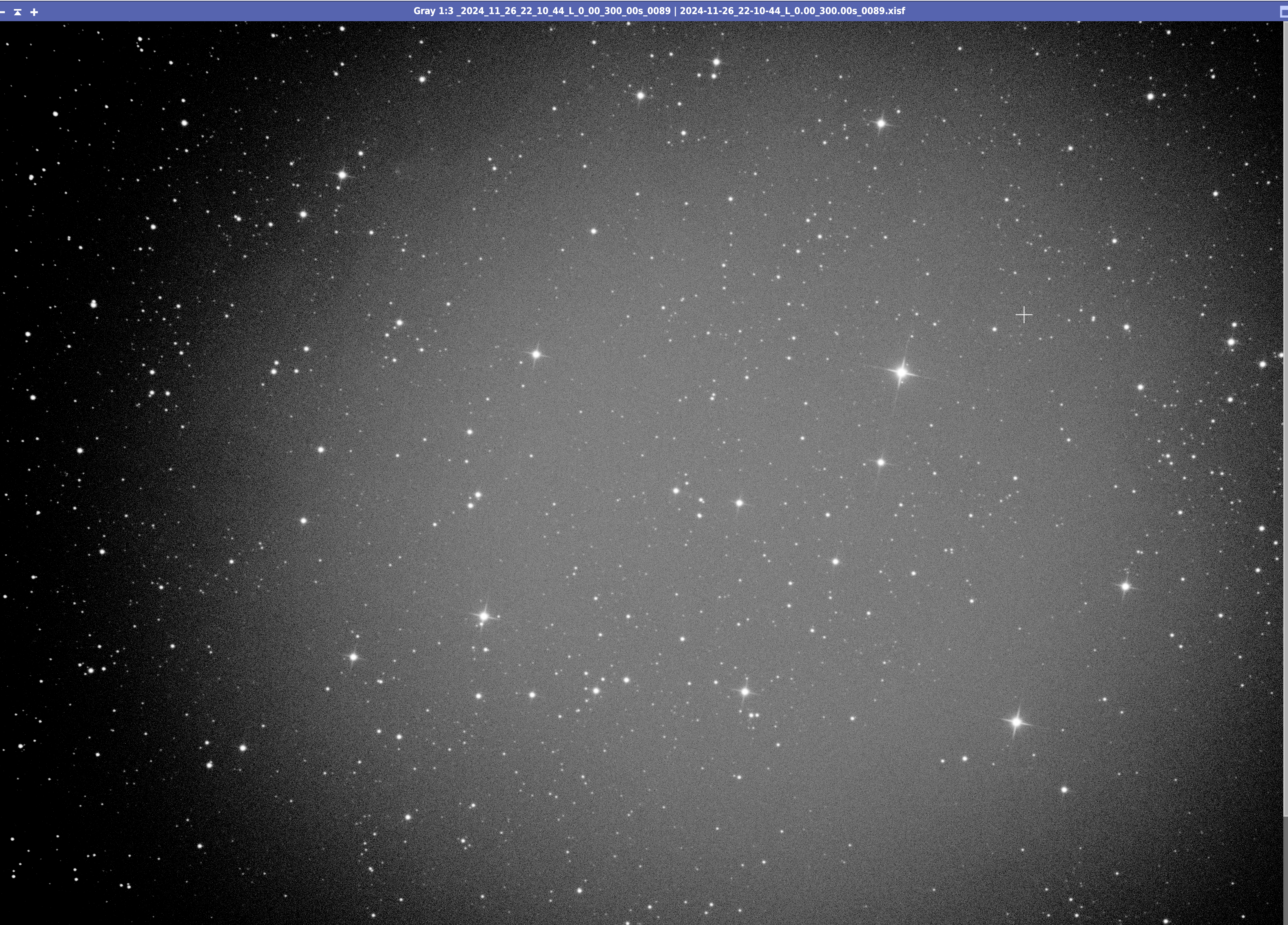
I can see the artefact in my Lightframes, very faint though (2 raw frames, from 2 different nights):
2024-11-21_22-57-09_L_0.00_300.00s_0048.xisf - https://drive.google.com/file/d/1UD7lDrBsmN4My-6dL6AoccgQq_ZoLqXC/view?usp=drive_link
2024-11-26_22-10-44_L_0.00_300.00s_0089.xisf - https://drive.google.com/file/d/1U1_OBXNoHHlDI-a4dOVjvXy0OJgg_mXa/view?usp=drive_link
I can see the artefact ONLY in my Luminance (L) Flats, which leads me to believe it's a dust moat or similar on the filter:
Red channel master flat (NO Artefact): https://drive.google.com/file/d/1mX1QHc5j0qdxZe05gjFKONfjucn0Rf03/view?usp=drive_link
Luminance master flat (Artefact): https://drive.google.com/file/d/1hy5tH0yXJMN6nEhHoP8VgvTaA0UVF09d/view?usp=drive_link
Luminance RAW flat example: 2024-11-22_00-41-29_L_0.00_2.50s_0007.xisf - https://drive.google.com/file/d/1KLSmbWJ0K4N-ed2MUmrGrHlDsKF11-vH/view?usp=drive_link
Example raw DARK used to calibrate FLATS: 2024-11-27_22-44-25_L_0.30_2.50s_0009.xisf - https://drive.google.com/file/d/1iZtKqFCndk3EDOWW_t052rmGrD6A-mR3/view?usp=drive_link
DARK Master created from above frame (20 in total): masterDark_BIN-1_6248x4176_EXPOSURE-2.50s.xisf - https://drive.google.com/file/d/1LJE4QWxRS-UflfnWzwXXFVjn-WxQRfec/view?usp=drive_link
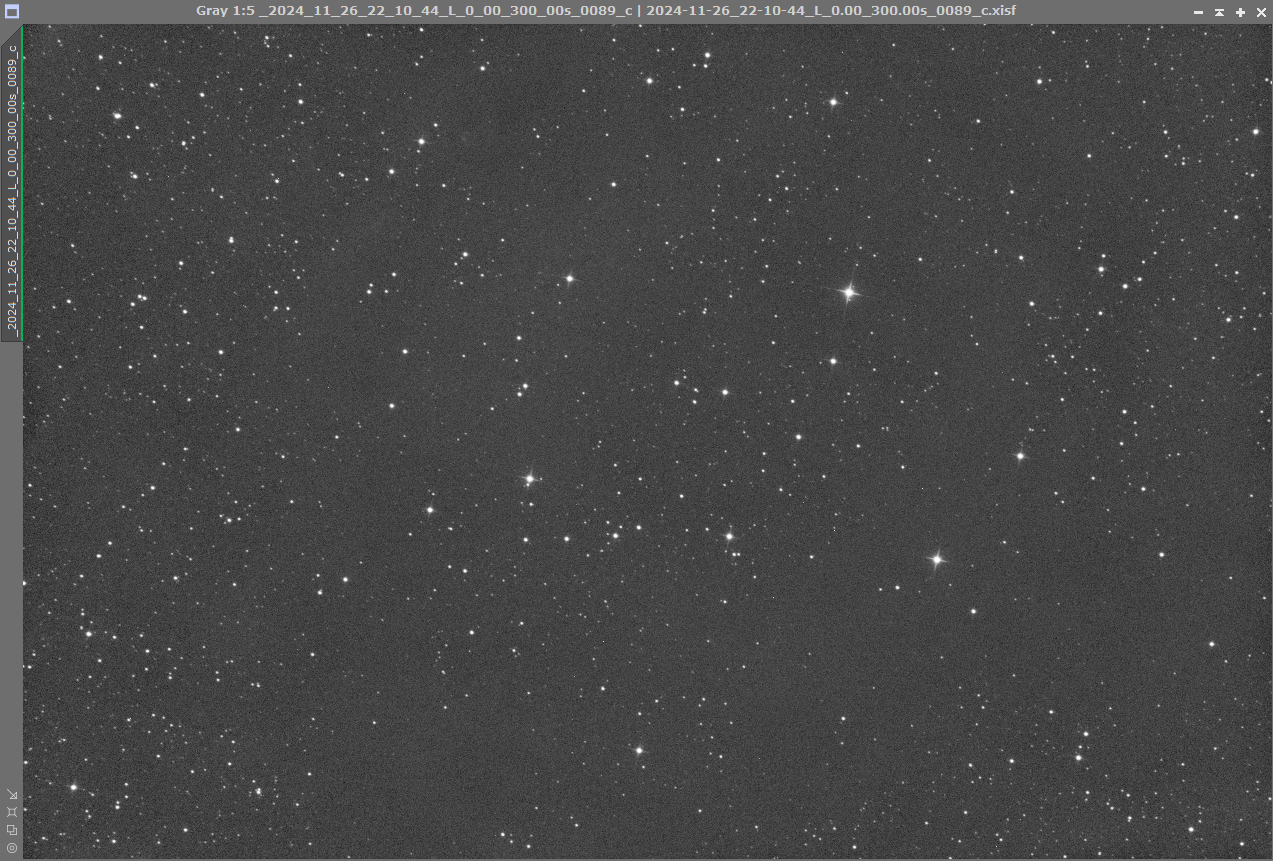
In the registered output from WBPP, I can see the artefact still (same 2 files as above just after WBPP):
2024-11-21_22-57-09_L_0.00_300.00s_0048_c_r.xisf - https://drive.google.com/file/d/1c2ZmDrYARLiFKPA7Y4vAZ3wYwiHwnKOS/view?usp=drive_link
2024-11-26_22-10-44_L_0.00_300.00s_0089_c_r.xisf - https://drive.google.com/file/d/1o-vrWS5HcigOyoyZCYNfSzt8x8frFSHM/view?usp=drive_link
My setup is permanently mounted, and changes to the image train, angle, etc., have not been made during my sessions.
All images are with temperature 0 and Offset 0 on the camera. (ASI2600 MM)
I have redone both dark frames and flat frames to see if that "helped," but sadly, it has not.
My WBPP settings (pretty standard):
I am imaging a dusty region, and when stacking, I can see that my flats have not correctly removed a particular artefact.
Any input on what I might be missing here??
I cannot understand what I am not doing correctly to prevent this annoying artefact from showing up in my registered images.
Example files from all steps of my process is included, all settings in WBPP as well.
If I can provide anymore information, please let me know.
Any input on what I can improve or change to remove this is much appreciated.
This is a "boosted autostretch" showing the artefact in a registered image.
I can see the artefact in my Lightframes, very faint though (2 raw frames, from 2 different nights):
2024-11-21_22-57-09_L_0.00_300.00s_0048.xisf - https://drive.google.com/file/d/1UD7lDrBsmN4My-6dL6AoccgQq_ZoLqXC/view?usp=drive_link
2024-11-26_22-10-44_L_0.00_300.00s_0089.xisf - https://drive.google.com/file/d/1U1_OBXNoHHlDI-a4dOVjvXy0OJgg_mXa/view?usp=drive_link
I can see the artefact ONLY in my Luminance (L) Flats, which leads me to believe it's a dust moat or similar on the filter:
Red channel master flat (NO Artefact): https://drive.google.com/file/d/1mX1QHc5j0qdxZe05gjFKONfjucn0Rf03/view?usp=drive_link
Luminance master flat (Artefact): https://drive.google.com/file/d/1hy5tH0yXJMN6nEhHoP8VgvTaA0UVF09d/view?usp=drive_link
Luminance RAW flat example: 2024-11-22_00-41-29_L_0.00_2.50s_0007.xisf - https://drive.google.com/file/d/1KLSmbWJ0K4N-ed2MUmrGrHlDsKF11-vH/view?usp=drive_link
Example raw DARK used to calibrate FLATS: 2024-11-27_22-44-25_L_0.30_2.50s_0009.xisf - https://drive.google.com/file/d/1iZtKqFCndk3EDOWW_t052rmGrD6A-mR3/view?usp=drive_link
DARK Master created from above frame (20 in total): masterDark_BIN-1_6248x4176_EXPOSURE-2.50s.xisf - https://drive.google.com/file/d/1LJE4QWxRS-UflfnWzwXXFVjn-WxQRfec/view?usp=drive_link
In the registered output from WBPP, I can see the artefact still (same 2 files as above just after WBPP):
2024-11-21_22-57-09_L_0.00_300.00s_0048_c_r.xisf - https://drive.google.com/file/d/1c2ZmDrYARLiFKPA7Y4vAZ3wYwiHwnKOS/view?usp=drive_link
2024-11-26_22-10-44_L_0.00_300.00s_0089_c_r.xisf - https://drive.google.com/file/d/1o-vrWS5HcigOyoyZCYNfSzt8x8frFSHM/view?usp=drive_link
My setup is permanently mounted, and changes to the image train, angle, etc., have not been made during my sessions.
All images are with temperature 0 and Offset 0 on the camera. (ASI2600 MM)
I have redone both dark frames and flat frames to see if that "helped," but sadly, it has not.
My WBPP settings (pretty standard):