akshay87kumar avatar
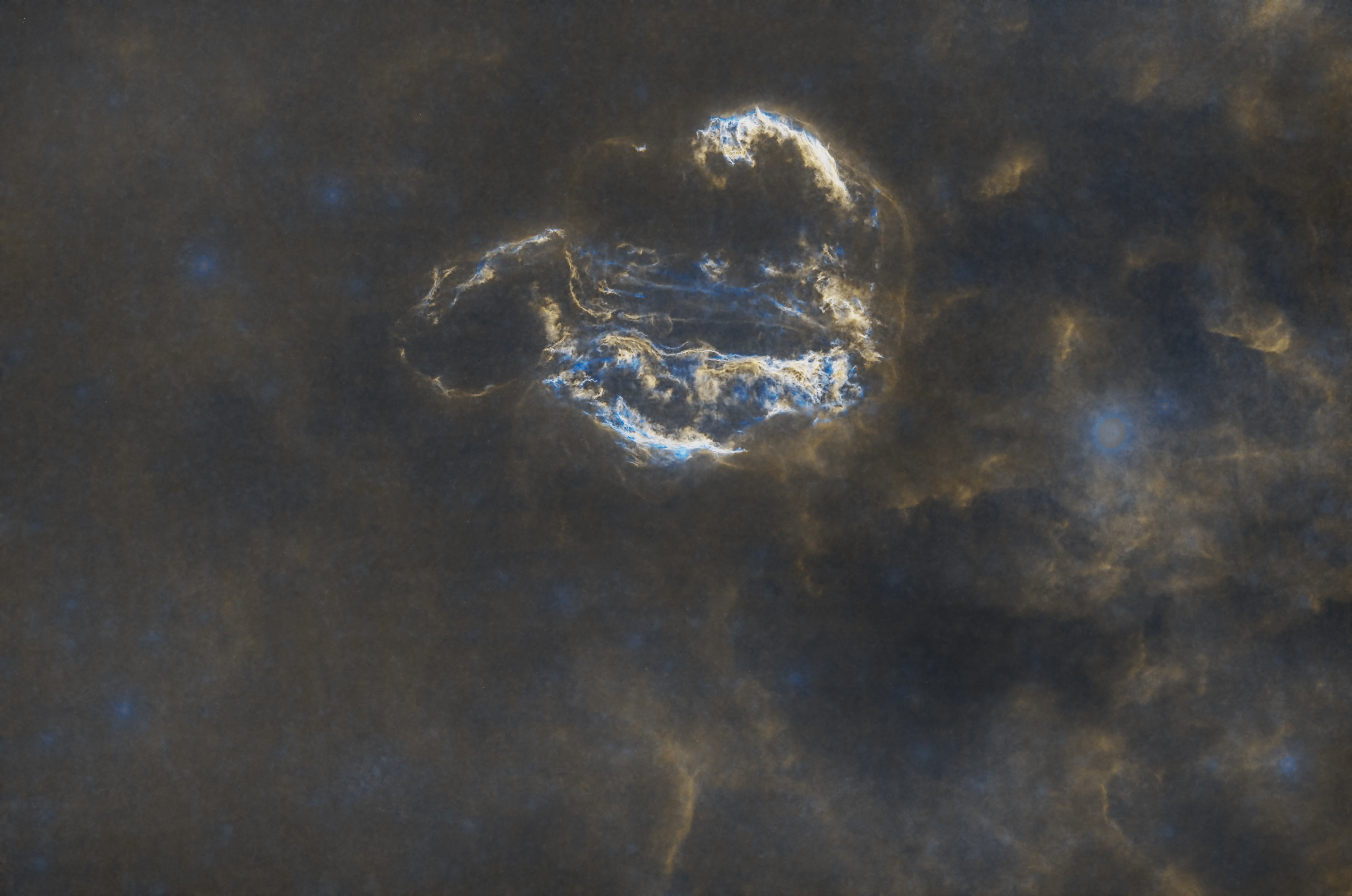
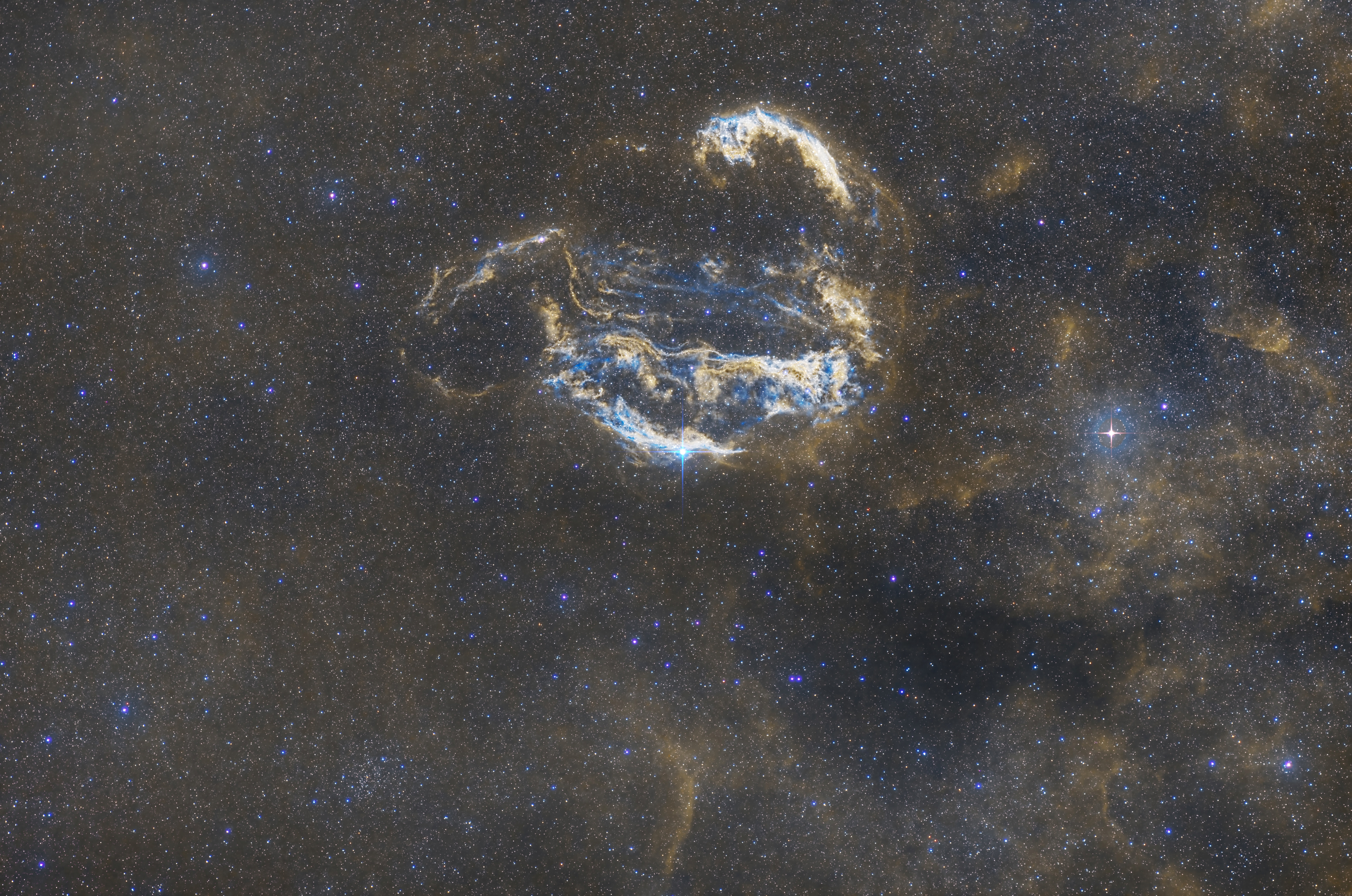
Request your critique on the veil nebula. Among the other feedback, request you to help me understand if the star colours are too bluish. This is a set of 4 L-R-G-B (3 mins exposure each) and 4 H-O (10 mins exposure each), processed in PixInsight.
I have used LRGB Composition for the stars to create a star mask, and used the HOO for the nebula details. Here are my exact steps.

LRGB Image:
1. AstroSeti Background extraction
2. Noise Extermination
3. LRGB Recomcposition
4. Spectrophotometric Color Calibration
5. Starmask (Starnet)
6. ArcSin stretch on starmask, followed by boosting saturation

HOO Image:
1. AstroSeti Background extraction
2. Noise extermination
3. LRGB Recomposition (L=Ha, R=Ha, G and B = O)
4. Starless image by starnet
5. Generalized Hyperbolic stretch
6. Masked saturation boost

The starnet was unable to eliminate the biggest stars even on linear data (the one with spikes at the right side, noticeable in the starless image clearly), so I had to make local corrections using clone stamp and hide the artefacts using the spikes. 

Thanks for the feedback!


Helpful Engaging
Niels_L avatar
Hi,
Stars look very blueish indeed. Maybe try a simple HT stretch on the stars-only? Also, SetiAstro has a script for star stretch that often works well (cannot recall what it’s based on). 

regards,
Niels (not the expert at all)
adrian-HG avatar
when i use Spectrophotometric Color Calibration on this nebula every time fail  , and  star color turn to blue or white , i dont know why….

i calibrate color  with  autocolor script or background calibration
D. Jung avatar
Maybe try to stretch the nebula less. It looks like you lost a bit too much details and color due to that.
Remember that the highlights get compressed when you apply too high gamma. 
​​​​​​For the veil, you could try to have a partial nebula mask, excluding the bright parts and only stretching the dimmer areas. You can use the Fame or game scripts for that together with the clone tool.

To get better star color, you can always try to do it by hand. A good starting point is to take the histogram trafo and change individual colors to make RGB curves peak at the exact same area in the histogram. That's the most simple and direct way to white balance your image, known as grey-world approach.
​​​​​
Helpful Insightful
Related discussions
[RCC] 20 hours of Iris Nebula
Hi, this is my longest integration so far, and I really really wanna make the most out of the data. My workflow, due to cone error was like this: 1) stack all subs that were good (639) and do another stack with just the subs before the meridian flip ...
Both posts describe detailed image processing workflows for deep-sky astrophotography data using PixInsight software.
Aug 14, 2024
[RCC] Rosette Nebula
The image is an 6-hour integration of Rosette nebula taken in HO dual narrowband filter. Request your critique and feedback to improve it. I plan to add more data and revisit the processing shortly. I think the overall colour is not as good as it sho...
Both posts seek feedback on narrowband astrophotography images processed in PixInsight, with concerns about blue color cast in their results.
Dec 15, 2024
[RCC] Iris and Ghost Nebulae
Hi, Requesting your critique on my first DSO image of iris and ghose nebulae. This is my longest integration so far (about 12hrs) and while I feel this field could use a lot more, I want to get the most out of the data I have until I collect more. Th...
Both posts seek feedback on deep-sky object astrophotography images processed in PixInsight, with the posters detailing their acquisition and processing workflows.
Oct 22, 2024
[RCC] - Veil Nebula region in SHO
I struggled processing this one a bit. Early versions had too much green (Ha). Too saturated. Should I just do HOO? I came across this tutorial, which is more Photoshop oriented with extensive use of layering and really found it enlightening and much...
Both posts discuss challenges with processing narrowband astrophotography images and seek advice on color balance and processing techniques.
Jun 24, 2024