Dark Halo at the centre of image consistently

22 replies886 views
Konstantin avatar
I use flats and despite it removing other gradients, this ring still prevails, with or without flats, across multiple nights, of course there are other artifacts but these are "normal" i assume unlike the ring. Flats do not fix it and Photoshop does poorly if at all to fix it. Any help would be greatly appreciated.

Katelyn Beecroft avatar
It looks to me like dew on the camera sensor. Is it in every sub? Or if you blink through the subs do you see it start to appear?
Well Written Insightful Respectful Concise Engaging Supportive
andrea tasselli avatar
You may have a serious problem with stray light when you take your flats. So the question is how do you take your flats and with what?
Well Written Engaging
Konstantin avatar
Katelyn Beecroft:
It looks to me like dew on the camera sensor. Is it in every sub? Or if you blink through the subs do you see it start to appear?

You might be absolutely right, i will try heating up the air around the sensor and see if it works, i previously had the dew heater on the primary lens, i will see about heating the air pocket next to the sensor, will come back to reveal if it worked
DavesView avatar
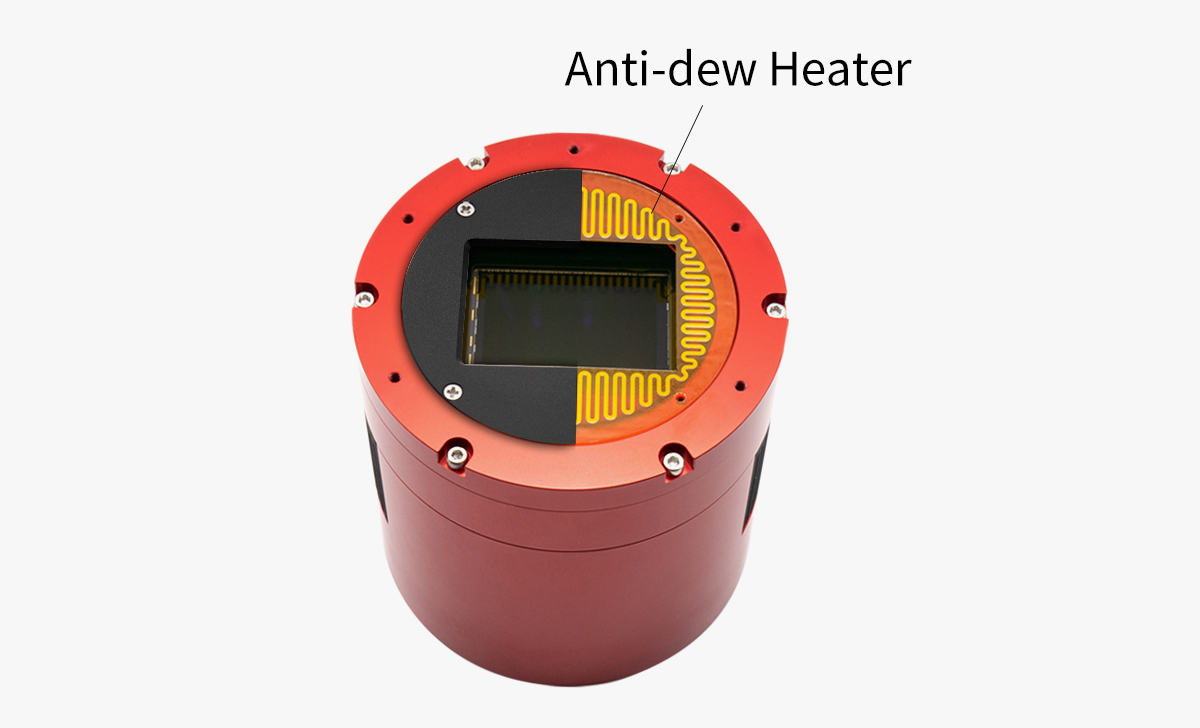
Does the camera have a dew heater on the glass in front of the sensor and are you turning it off/on? It happened to me when I shut the heater off.

Konstantin avatar
DavesView:
Does the camera have a dew heater on the glass in front of the sensor and are you turning it off/on?


Right, apologies for not listing equipment, i am running with a EOS R6 + ASKAR 103APO, there is no dew heater in the camera
Oskari Nikkinen avatar
Im not convinced dew or ice on the sensor window is to blame, at least not going to lean towards this without additional info.

Looked at your posted images and it appears you are using a Canon R6 so the camera is not cooled and there is little to no risk of dew/ice. With Canon cameras you dont want to use darks and you would need to subtract the default offset value of 2048 in calibration. The reason you dont want to use darks is that Canon cameras have an auto offset level of 2048 regardless of exposure time, so darks will just not work and if improperly taken will do nothing but add noise, and if light leaks were involved will just make flat calibration impossible. You can use darks, but they have to be properly taken in a fully dark environment and even then its better to just not use them.

If you could upload a single frame of all the types of calibration frames you are using (1 flat, dark, darkflat/bias if you are using them) i would like to have a look at them. They need to be raw frames, so you could upload to google drive or any other file sharing place of your choice. Chances are something has gone wrong with them and they are to blame. When i used to image with a 550D i saw this exact ring many times when i had incorrect calibration frames.

*edit: Also please add a light frame from the night you had this issue
Helpful
andrea tasselli avatar
There is no ice or fogging of the sensor window as there is no window at all. And anyone can discount it forming on the sensor with 99.9% probability for anywhere but the most extremely cold locations (since the sensor generates a fair bit of heat by its own).
Konstantin avatar
Oskari Nikkinen:
Im not convinced dew or ice on the sensor window is to blame, at least not going to lean towards this without additional info.

Looked at your posted images and it appears you are using a Canon R6 so the camera is not cooled and there is little to no risk of dew/ice. With Canon cameras you dont want to use darks and you would need to subtract the default offset value of 2048 in calibration. The reason you dont want to use darks is that Canon cameras have an auto offset level of 2048 regardless of exposure time, so darks will just not work and if improperly taken will do nothing but add noise, and if light leaks were involved will just make flat calibration impossible. You can use darks, but they have to be properly taken in a fully dark environment and even then its better to just not use them.

If you could upload a single frame of all the types of calibration frames you are using (1 flat, dark, darkflat/bias if you are using them) i would like to have a look at them. They need to be raw frames, so you could upload to google drive or any other file sharing place of your choice. Chances are something has gone wrong with them and they are to blame. When i used to image with a 550D i saw this exact ring many times when i had incorrect calibration frames.

*edit: Also please add a light frame from the night you had this issue

I get these rings when i only stack light frames too, and when i stack flat frames and biases, i never used darks. Then its slightly reduced but still prominent. I tried heating the camera but that did not work at all.
andrea tasselli avatar
Konstantin:
Oskari Nikkinen:
Im not convinced dew or ice on the sensor window is to blame, at least not going to lean towards this without additional info.

Looked at your posted images and it appears you are using a Canon R6 so the camera is not cooled and there is little to no risk of dew/ice. With Canon cameras you dont want to use darks and you would need to subtract the default offset value of 2048 in calibration. The reason you dont want to use darks is that Canon cameras have an auto offset level of 2048 regardless of exposure time, so darks will just not work and if improperly taken will do nothing but add noise, and if light leaks were involved will just make flat calibration impossible. You can use darks, but they have to be properly taken in a fully dark environment and even then its better to just not use them.

If you could upload a single frame of all the types of calibration frames you are using (1 flat, dark, darkflat/bias if you are using them) i would like to have a look at them. They need to be raw frames, so you could upload to google drive or any other file sharing place of your choice. Chances are something has gone wrong with them and they are to blame. When i used to image with a 550D i saw this exact ring many times when i had incorrect calibration frames.

*edit: Also please add a light frame from the night you had this issue

I get these rings when i only stack light frames too, and when i stack flat frames and biases, i never used darks. Then its slightly reduced but still prominent. I tried heating the camera but that did not work at all.

*Of course it didn't work, it isn't the camera it's the optical train ahead of it that's the issue.
Matej Mlakar avatar
HR_Maurer avatar
I know this kind of artifacts from a camera lens ive been trying to use. It was reproducible, and i dont know what i should have done wrong. I think the illumination conditions differ from capture (isotropic) vs flat exposure (anisotropic), and that causes the artifact. But thats just guessing
Oskari Nikkinen avatar
Konstantin:
Oskari Nikkinen:
Im not convinced dew or ice on the sensor window is to blame, at least not going to lean towards this without additional info.

Looked at your posted images and it appears you are using a Canon R6 so the camera is not cooled and there is little to no risk of dew/ice. With Canon cameras you dont want to use darks and you would need to subtract the default offset value of 2048 in calibration. The reason you dont want to use darks is that Canon cameras have an auto offset level of 2048 regardless of exposure time, so darks will just not work and if improperly taken will do nothing but add noise, and if light leaks were involved will just make flat calibration impossible. You can use darks, but they have to be properly taken in a fully dark environment and even then its better to just not use them.

If you could upload a single frame of all the types of calibration frames you are using (1 flat, dark, darkflat/bias if you are using them) i would like to have a look at them. They need to be raw frames, so you could upload to google drive or any other file sharing place of your choice. Chances are something has gone wrong with them and they are to blame. When i used to image with a 550D i saw this exact ring many times when i had incorrect calibration frames.

*edit: Also please add a light frame from the night you had this issue

I get these rings when i only stack light frames too, and when i stack flat frames and biases, i never used darks. Then its slightly reduced but still prominent. I tried heating the camera but that did not work at all.

If you use flats you also need darks, or offset subtraction in software. Flats + biases alone without darks will never work and you will get massive overcorrection with your flats so the ring stays. You need to either take darks or use the offset subtraction method for dark calibration, otherwise calibration has no chance to work.

I'd still like to inspect your raw frames if you want to upload them.
Helpful Insightful Concise
ScottF avatar
Could it be dew on the telescope front element? Flats won't fix it if it is.
Well Written
MaksPower avatar
This is dew on the camera sensor cover. Have seen before.

Use a cameras with a heater and make sure it is turned on.
Chase Davidson avatar
MaksPower:
This is dew on the camera sensor cover. Have seen before.

Use a cameras with a heater and make sure it is turned on.

This. It could also be on the end of the optical tube if you are using a refractor without a dew heater. I think most of us that live in humid places have seen this before. I once even took flats with dew on the lens without ever noticing until after post processing (I even created a post asking what was wrong with my post processing). Ruined the final image but you can luckalily take new flats. I attached a sub that was taken with a lens that was all dewed up.

One thing, I don't recommend using a hair dryer or any sort of fast heat to get rid of dew that is already there. I did this once to the camera lens and it put dried water circles on the lens of the camera that took weeks to get off and ruined multiple nights of shots because I just couldn't figure out where the water marks were coming from.
Helpful Engaging Supportive
John Hayes avatar
andrea tasselli:
You may have a serious problem with stray light when you take your flats. So the question is how do you take your flats and with what?

 
andrea tasselli:
*Of course it didn't work, it isn't the camera it's the optical train ahead of it that's the issue.


Andrea is absolutely correct here.  The problem is with stray light coming from reflections within the optical system--most likely in a spacer tube.  Remove the camera and look backwards through the system with the telescope pointed at a flat panel or out a window and you should be able to see the reflections.  This sort of problem is often easy to correct with black flocking paper.  Remember that stray light is additive in the signal and flats only correct for multiplicative (i.e. modulation) effects.

John
Well Written Helpful Insightful Concise
ks_observer avatar
Another suggestion is you may want to reduce the flat exposure – maybe bring it down to 20% histogram or lower and see if that helps.
Well Written
Konstantin avatar
Will be trying to diagnose the light reflections, will keep this thread updated
Konstantin avatar
Its was the adapter from M42 to M48, there is a flat internal protruding ring when the camera is inserted with it, i put tape on the ring to diffuse the reflections, and it worked, of course the tape ruins the contrast but the point being was to prove whether that was the cause, so now i am looking for black paint or a new adapter, if you have any advice on black paint and preferably any the will stick to aluminum metal with relative resistance to water would appreciate it. Thanks for the help.
andrea tasselli avatar
TS sells them, check them out.
ScottF avatar
Konstantin:
Its was the adapter from M42 to M48, there is a flat internal protruding ring when the camera is inserted with it, i put tape on the ring to diffuse the reflections, and it worked, of course the tape ruins the contrast but the point being was to prove whether that was the cause, so now i am looking for black paint or a new adapter, if you have any advice on black paint and preferably any the will stick to aluminum metal with relative resistance to water would appreciate it. Thanks for the help.

Bizarre to me that was the cause, but be thankful you found it. There’s so many things to trip up astrophotography!
MaksPower avatar
Konstantin:
if you have any advice on black paint

Yes, Black 2.0 from Stuart Semple. There is also Black 3.0 and the latest is Black 4.0. They are all water-based acrylic matte blacks. 
https://stuartsemple.com/project/black-v1-0-beta-worlds-mattest-flattest-black-art-material/
Black 2.0 adheres quite well to aluminium, especially if you scuff it up with carbide sandpaper. It will survive occasional handling (and you can touch it up later, anyway).

Black 3.0 is more fragile and is best applied as a second coat over Black 2.0.
I haven't tried Black 4.0 yet though I have a bottle on the way as I plan to use this on my 10" to blacken the central baffle and the inside of the OTA.
Helpful Concise
Related discussions
Halo artifact troubleshooting on Esprit ED80 and lens cleaning safety
I’m looking for some troubleshooting help with my Esprit ED80. I have this strange halo artifact on mid to bright stars (see attached image). If I rotate the image train, the defect follows the scope, so I know it’s there, and it is equally present i...
Halo artifact troubleshooting on Esprit ED80 and lens cleaning safety — similar ring/halo artifact issue persisting across multiple nights.
Nov 26, 2025
Help with RH200 halos/reflections
Hi, I recently bought an RH200 MKII. The telescope looks like new and, after some minor tweaking (I still need to fine-tune the collimation), it delivers a very nice, flat field across my full-frame ASI2400. So far, so good. However, I’m seeing some ...
Help with RH200 halos/reflections — addresses halo/reflection artifacts in telescope optics.
Dec 18, 2025
ZWO ASI 2600MC producing doughnut artifact in center of images
Hello everyone, I have had a ZWO ASI 2600MC for about a year now, and I have noticed that all the images I have taken with it since then have a strange artifact in them. Basically, it looks like a doughnut in the center of the image. This is particul...
ZWO ASI 2600MC producing doughnut artifact in center of images — persistent artifact unresolved by standard calibration methods.
Nov 27, 2025