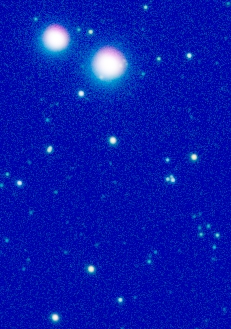
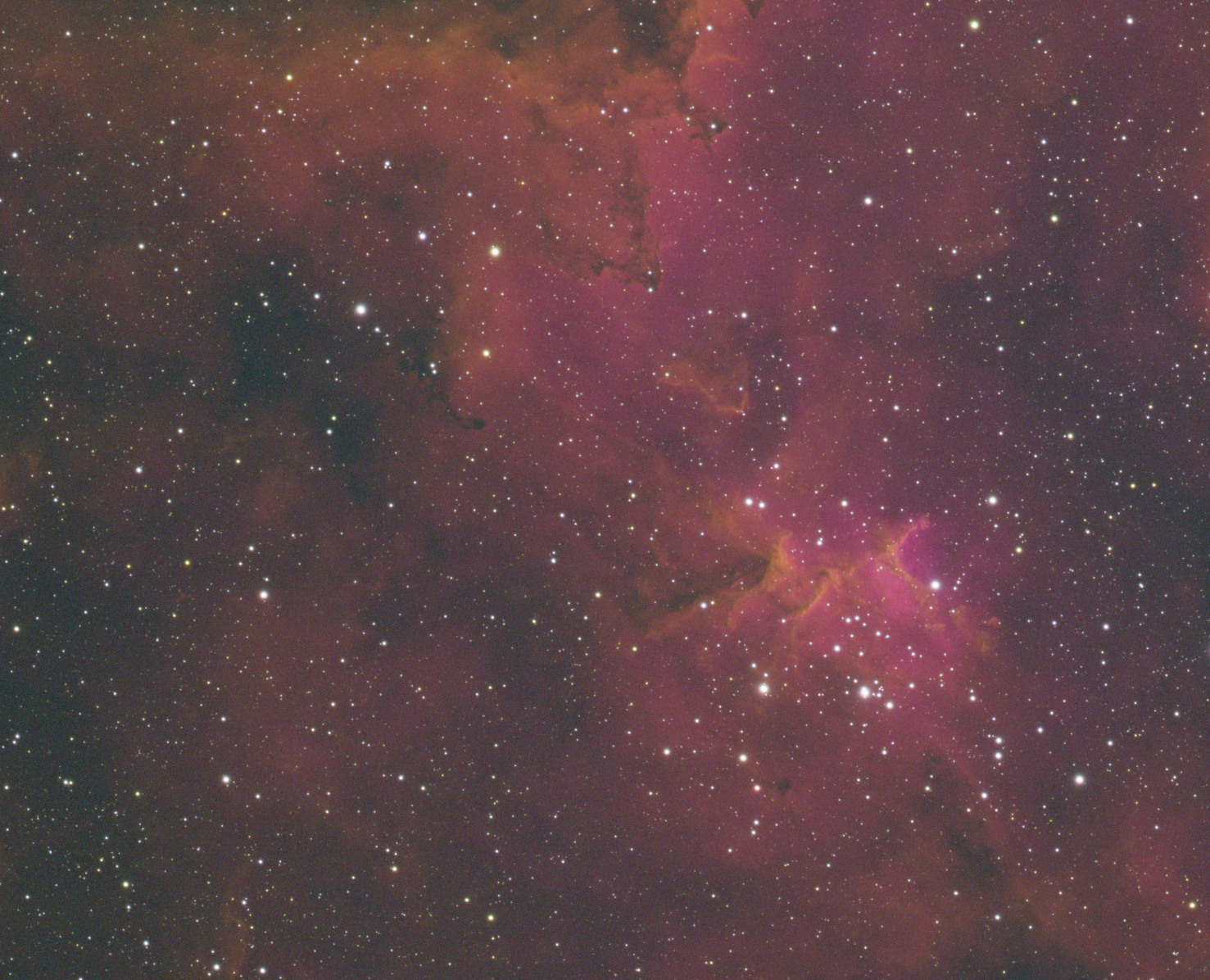
What causes this?

andrea tasselli
24 replies395 views
Sean Mc avatar
It's the same direction across the image, only on the brightest stars.  BlurX doesn't get rid of it except for the faintest ones (correct only).  I tried channel match, and to correct the big stars, the small ones are way out of whack.

Does anyone know what causes this?  Maybe how to fix it?

andrea tasselli avatar
What causes this is obviously your optics and it is called lateral chromatic aberration. So what was the telescope used? It might be possible to reduce it but not entirely eliminate it. To tell, I'd need the raw files.
Oscar H. avatar
Did I have the same problem?

For me though, it was with a newt, without a coma corrector. But I think the problem went away once I recollimated.
Sean Mc avatar
andrea tasselli:
What causes this is obviously your optics and it is called lateral chromatic aberration. So what was the telescope used? It might be possible to reduce it but not entirely eliminate it. To tell, I'd need the raw files.

It's a 65phq.  Subs were over several days.  It wasn't particularly good seeing so I was thinking maybe guiding/atmospheric effects.  Did you want to see single subs, or the stacks?
andrea tasselli avatar
Possibly both but I need the file rather than just an image.
Sean Mc avatar
link to files

This is the only way I can share this much data but it's everything so you can pick and choose.
andrea tasselli avatar
I see you went for the whole thing, 19GB! Anyway, I'll look it up later in the day.
Sean Mc avatar
As I learn more… things don’t get easier lol. 

So the 65phq has a theoretical “maximum resolution” (Dawes) of ~ 1.8-ish”/pix. Using the 294mm pro in bin 1 gives me 1.15”/pix. 

Does this mean my images will be a little softer than if I was using a camera that matched the 1.8?  Or does it mean that there’s no difference than the 1.8 pixels scale? (As in i’m not gaining but not losing).
andrea tasselli avatar
So, you sent 3 master light of which one (Ha) in already very high pixel count and the other 2 being upscaled (drizzled?) by a factor. Apart from the obvious wastage of bandwidth drizzle doesn't make sense unless you got copious signal and are actually undersampling the image and neither is the case for the SII and OIII frames. In fact for all of them.

Passing on the issue of color fringing there is no immediate fix with any of the various methods in PI so in that sense it cannot be cured (this is because the image scale changes with angular distance).

BXT, however, in its latest AI incarnation (4), does a decent job of tuning it down (although some hints are still there), see:
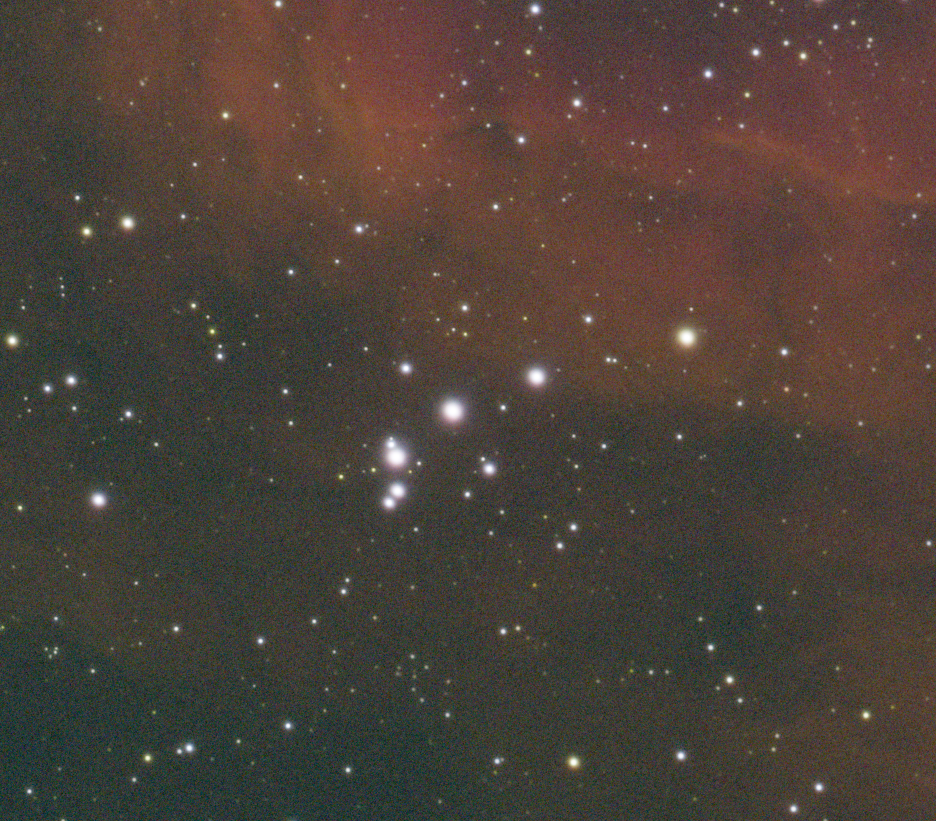
This is an auto-stretched image of a 3-color composition so no other operations were carried out. Being a NB palette color fidelity isn't an issue here but I'd imagine it would be for RGB stars. While not perfect is still a workable result.
Insightful
andrea tasselli avatar
Sean Mc:
As I learn more… things don’t get easier lol. 

So the 65phq has a theoretical “maximum resolution” (Dawes) of ~ 1.8-ish”/pix. Using the 294mm pro in bin 1 gives me 1.15”/pix. 

Does this mean my images will be a little softer than if I was using a camera that matched the 1.8?  Or does it mean that there’s no difference than the 1.8 pixels scale? (As in i’m not gaining but not losing).

Your integrated seeing is between 2.8" and 3" so probably this sampling isn't too bad BUT you just have a 65mm aperture spread over 416 mm of FL. That is a signal killer. Just to put in prospective I am at 3.3"/px with a 107mm aperture @ 300 mm and I just get by (for faint object I do not but this is more to do with the camera). With an equivalent modern cooled camera I am prepared to go with 1.35"/px with a 6" @ f/4 and this is as far as I am willing to go. Increasing image will give me no benefit if I can't resolve detail because of lack of signal i.e., SNR.
Helpful Insightful
Sean Mc avatar
Hmm..  The OIII and SII were taken in bin2, which is undersampled isn't it?  I dithered every frame or two, and that's why I 2x drizzled.
Sean Mc avatar
The question is WHY is this happening?  I'm getting the exact same problem with my Edge HD 8.
andrea tasselli avatar
Sean Mc:
Hmm..  The OIII and SII were taken in bin2, which is undersampled isn't it?  I dithered every frame or two, and that's why I 2x drizzled.

*No, they were taken in bin1, same as the Ha.
andrea tasselli avatar
Sean Mc:
The question is WHY is this happening?  I'm getting the exact same problem with my Edge HD 8.

*I hope you aren't going in bin1 with the HD 8. Bin 4 is more like it at 2034 mm.
Sean Mc avatar
take a look at the lights folder I shared.  They are definitely bin2.
andrea tasselli avatar
The masters weren't, however. They were in bin1 across the board and SII and OIII drizzled 2x.
Sean Mc avatar
Interesting.  Looks like wbpp upscaled them to bin1 and then drizzled.
andrea tasselli avatar
Sean Mc:
Interesting.  Looks like wbpp upscaled them to bin1 and then drizzled.


That is what it does when you register both bin1 and bin2 files at the same time.
andrea tasselli avatar
Sean Mc:
Interesting.  Looks like wbpp upscaled them to bin1 and then drizzled.


That is what it does when you register both bin1 and bin2 files at the same time.
Sean Mc avatar
ffs.  I'll rerun separately, not autocrop, drizzle 2x on the bin2, register and crop after wbpp.  

Looking at the raws in sfs, my H fwhm is 2.3 ish and my O and S are 1.3 ish.  Could that be causing the CA?  Probably not right?
andrea tasselli avatar
I would go in the opposite direction with Ha matching the image scale of the other two and see how they stack-up.
Sean Mc avatar
I always find that bin2 stars are blocky though smile
andrea tasselli avatar
I can't see any blockiness here (this is in bin2), do you?

Sean Mc avatar
ok so I processed H and O and S separately.  All 3 are misaligned (and H is bin1).  How do I combine them?  How do I get all the crops and resolution the same?  Cannel combination gives me the finger.
andrea tasselli avatar
StarAlignament. Chose your reference frame and PI will do the rest. Make sure you select Thin Plate Spline as registration method. Combine the channels and crop at your leisure.
Related discussions
Something Wrong With My, Seastar? How can I fix it?
Hello and welcome. I'd like to ask everyone who is using the Seastar or they have experience in this situation. As of right now, im trying to polar align my Seastar, which I did. And I come across this issue here. Instead of looking up in the sky...
Discusses equipment issues; may help identify if problem is hardware-related.
Jul 23, 2025
Weird Artifacts when shooting with SCT
Hi, I’ve noticed I get a weird border artifacts on all sides of the picture when shooting with my SCT. I did not have this problem when I use the same camera/filter on a refractor. Anyone know what is causing this and how to fix it? I’ve shot multipl...
Addresses optical artifacts in images; relevant to troubleshooting star distortion issues.
Sep 22, 2025