Just curious how fellow astrophotographers manage cables on their rigs. Post a photo of yours! Here is mine on this rig…
Clear and dark skies!
Terrance
📷 Cable management 1.jpg Cable mana📷 Cable management 2.jpg20260406_115140.jpg
 gement 2.jpg

Just curious how fellow astrophotographers manage cables on their rigs. Post a photo of yours! Here is mine on this rig…
Clear and dark skies!
Terrance
📷 Cable management 1.jpgCable mana📷 Cable management 2.jpg20260406_115140.jpggement 2.jpg

I spend countless hours on Amazon shopping for cables as short as possible without being tight and with the correct angles so I don’t have any extra length to tuck anywhere on the top of the rig. I only have cables hanging when they need to get to something lower like from my StellaVita down to the mount.
📷 IMG_0643.jpeg
📷 IMG_0644.jpeg

Mostly with spiral wrap. I found the smaller diameter works best because it is very flexible yet controls the various cables and power cords for me.
I’ve seen folks try and use the stiff wrap that is meant for hydraulics and failed. because it causes to much strain on the wiring.
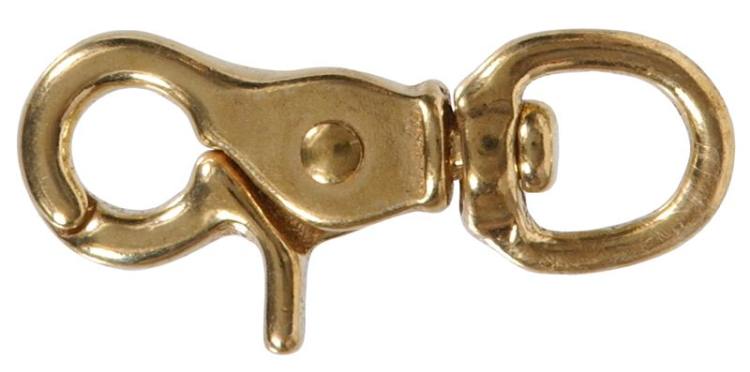
I typically buy the 33 foot length so I have plenty to use and work with. Where I need it stiffer I simply do double. Where I need to attach rings for support clips (I use harness snaps) I use some larger and stiffer to anchor my rings (I use key ring assortments)
And always, ALWAYS, run the mount through the furthest gyrations imaginable to test your configurations. If you miss something you can wind up with damaged connectors or worse, damaged sockets on your components. Our mounts can swing some very wide swings and entangle your wiring and looms.
If you don’t find them first, they will likely find you when you least want a tangle.
In addition, I have my system reduced to a single USB cable and a single 12VDC power wire from ground control (And a single power supply, 12 VDC- 25 amp capacity). I use a powered USB hub on my telescope and bring all the USB cables to it for the single cable to my laptop. My power array branches to each need with the device’s connector wired into the main feed wire. I’ve replaced original USB cables with ones better suited for the length needed to keep them shorter for the need.
Using the powered USB hub supplies the power to things that use USB 5 VDC as their power sources. (My rotator, and Guide Scope for examples.)
Ultimately, you have to outsmart the gremlins.
I had an extensive library of example pictures, but Cloudy Nights stole them when they abruptly banned me while I was in Japan.

Keep’em short and bundled - and I make custom power harness’ where possible (hi-voltage/amp, 4 contact 2.5/5.5 and 2.1/5.5). Both mounts I use have internal cabeling, that helps, too.
📷 4413.jpg

Honestly, I don’t, but mine is a medium weight OTA riding on an EQ-6 which is pretty heavy. I have a camera power cable from the PS that’s strapped to the mount. I also have two red ZWO cables strapped together that run down from the center of the dec saddle to the Mele that sits on a low table next to the mount. Everything has a long loop and is free to run as the OTA (6” Newt) moves. I used to run the OTA through all the positions to make sure there are no snags but anymore, I just know how they should run. I’ve not had any problems with doing this. I’m not suggesting that managing cables isn’t a good thing to do. Just that in my case, it’s not turned out to be a big concern.

📷 IMG_20260606_195238.jpg Nothing fancy, just a couple of velcro straps. And I choose the cables to be as short as possible.

📷 20260426_051224396_iOS.jpg
I guess I have no talent in cable management.
😆😆😆
Seung-Jun Kim · Jun 7, 2026, 08:11 AM
📷 20260426_051224396_iOS.jpg
I guess I have no talent in cable management.
Now that’s an everyday, working man’s rig!

Terrance · Jun 5, 2026 at 03:27 PM
Just curious how fellow astrophotographers manage cables on their rigs.
That is a really good question Terrance! My first scopes were a total train wreck of cable management. I had power supplies everywhere, wads of cables, nothing was marked and if something broke or I wanted to change something, it took hours to untangle things. It was a mess.
So, I stopped, took a step back and came up with a better plan. I started by making a wiring diagram that looked like this (although this diagram is for my current telescope):
📷 Slide1.jpeg 📷 Slide2.jpeg
 📷 Slide3.jpeg
 This is what it looked like on the back of my CDK20.
📷 Back of the Scope.jpg 📷 ONAG on the Scope2.jpg
 Everything is tight so that nothing can snag and so that wires are traceable for service. This is all installed in a remote observatory where I might not be the one servicing a problem so it needs to be clear and easy. My current ASA600 doesn’t have a rotator so it doesn’t require a pig-tail, which makes the wiring considerably more compact. It also doesn’t have any heaters so that reduces the number of wires as well. (I don’t have a photo readily available of the ASA600 but they are similar.)
The goal was to eliminate hubs wherever possible and to have a single cable running between the main sensor and the PC. Next, I worked out the cable lengths that I would need with the goal of minimizing cable lengths and eliminating bundled wads of excess cable. Finally, I mounted all of the power supplies, IP switches, and the PC in a single connectorized network cabinet. The insides of my cabinet are still chaotic but all of that gets reduced to connectors on the back side. Changing out a failed power supply in the cabinet requires a bit of patience but everything inside is connectorized using PowerPole connectors so it’s not very hard. Here’s the mess inside—taken when I had to pull it all apart to replace a power supply.
📷 Working on the Control Cabinet.jpg Here’s all I normally have to deal with once the cabinet is closed up and working properly:
📷 Rear Panel Connected 8-6-20.jpg 📷 Ebox with Door Open.jpg
 The cabinet made installation easy and it keeps from having stuff spread all over the place.
All wiring on the scope is set up to either run through flexible plastic cable wrap or it is wire tied. All cables are carefully labeled at each end so that if something needs repair, the cables can easily be traced. I also configured the cable bundle to the camera package so that it could easily be disconnected whenever the camera package has to be pulled off the scope—for whatever reason.
When I ran my CDK20 as a backyard rig while I was testing it, I could roll it out, connect it, polar align it, and be running with in 15-20 minutes. That’s pretty good for a telescope that weighed somewhere around 600 lbs!
The key is to use cables that are the right length, bundle everything and to use Adel clamps or wire ties to tie it all down. Minimize the use of hubs and keep the cables as short as possible.
John

A good cable labeling system is important as John and others have said. I tend to use heat shrink labeling tubing if I am making my own power cables since it can not come off. For other cables, there is nothing better than the Brady System (both labeler and labels) that is used by many professional wiring people. Not cheap but solid and professional.
Making you own power cables is the way to go. I use silicone insulated wire which can be had on Amazon in almost any gauge. You can then calculate what you need by length, gauge, and power drop using one of many online calculators. Factory made cables can be OK if they do not need to be flexible but be sure to test them! I have run across a small percentage that were both cross wired or had no connection. I prefer my own home made cables with good strain relief, flexible wire and high quality plugs.
Also note that some DC connectors are not all that compatible with each other as the style of internal connections vary so be sure to look at what you are plugging it into before picking a cable/connector. I actually had an on board power connector on an older camera physically melt due to a wimpy connection! Fortunately no damage was done to the camera electronics.
Also note that just because a DC connector will fit and transfer power does not mean it is the right one. Barrel lengths vary as do connection modes. Select the wrong barrel length and the connection can be wobbly or flaky. Select less than totally compatible architecture for the plugs and power transfer can be weak.
One added point is to avoid cheap cable ties. I suggest the Gardener Bender extreme temp ties since they stay usable down to very low temps. I have had some Chinese ties that snap from seemingly just looking at them wrong. 😉
Bill,
Those are both really good suggestions! I’ve personally settled on PowerPole connectors for my power cables mainly because they are so easy to make and readily available at the observatory. The one thing I’ll add is that if you make your own connectors, be sure to use the correct tools! The PowerPole system has a crimp tool that if properly used produces the perfect connection. When I buy a power brick (I prefer MeanWell), I simply cut off whatever connector comes with the supply and attach my own PowerPole connector. I try to do the same for all of my other equipment as well—cameras, FW, and other stuff. That way everything is compatible.
John

Lots of Velcro cinches and straps have been my goto. It’s not fantastic, but it works decently without cable snags.

Have created a small harness type setup and designed a small bracket to get my ASI Air fixed on the AM5 along the side to ensure there is no stretch of any kind. The bracket is adjustable enough to accomodate the setup on both my scopes Askar SQA55 and Skywatcher 150P
📷 ASI Air Mounting 2.jpeg 📷 ASI Air Mounting 1.jpeg