Hello everyone. Im new to the forum space and I would like to ask a question. Yesterday (08/20) there was a lunar occultion with Saturn and the Moon. And i would like to know how I can process it so the Moon doesn't appear very bright and Saturn doesn't appear to dim. Thanks
How to process occultation images?


I would make separate properly exposed stacks for the moon and Saturn and then composite them together in Photoshop, Gimp, Affinity Photo, whatever you are using. I even had to do that for the Jupiter/Saturn conjunction a few years back because the difference between the two was just to much to get the image I wanted.
Helpful Concise
Thanks for the help! I think i will do that, i really cant find another solution than making a composite

If no area is overexposed (as the Moon crossing would have been in the Moon's shadow if I recall right) or underexposed then it is possible to modulate the relative brightness using a non-linear transformation. To be more specific we would need to have an example and what are you using to create the final image (a movie, a single shot, a collection of single shots etc).

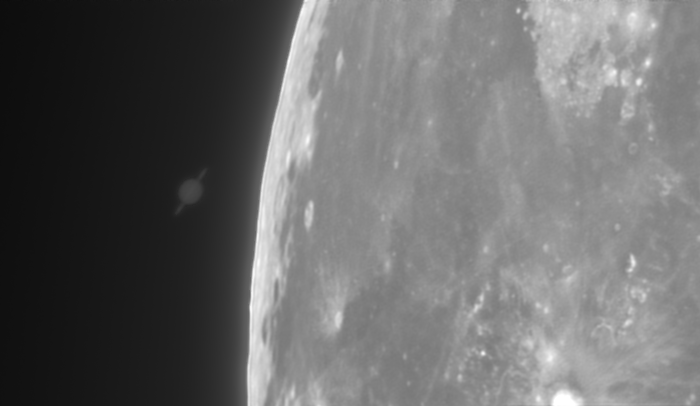
I searched for an exposure time and gain that would not blow out the Lunar surface, but still show Saturn. The stacked image below was treated with non-linear curves (like Andrea said) to improve visibility of the planet while keeping the lunar surface under control. In my opinion, you can get a more pleasing image by making a composite. It gives you the best contrast in each object.
Well Written Helpful Respectful Concise
andrea tasselli:
If no area is overexposed (as the Moon crossing would have been in the Moon's shadow if I recall right) or underexposed then it is possible to modulate the relative brightness using a non-linear transformation. To be more specific we would need to have an example and what are you using to create the final image (a movie, a single shot, a collection of single shots etc).
I made a movie of the entire occultation process, after that I stacked the first 800 frames of the film.
Victor Van Puyenbroeck:
I searched for an exposure time and gain that would not blow out the Lunar surface, but still show Saturn. The stacked image below was treated with non-linear curves (like Andrea said) to improve visibility of the planet while keeping the lunar surface under control. In my opinion, you can get a more pleasing image by making a composite. It gives you the best contrast in each object.
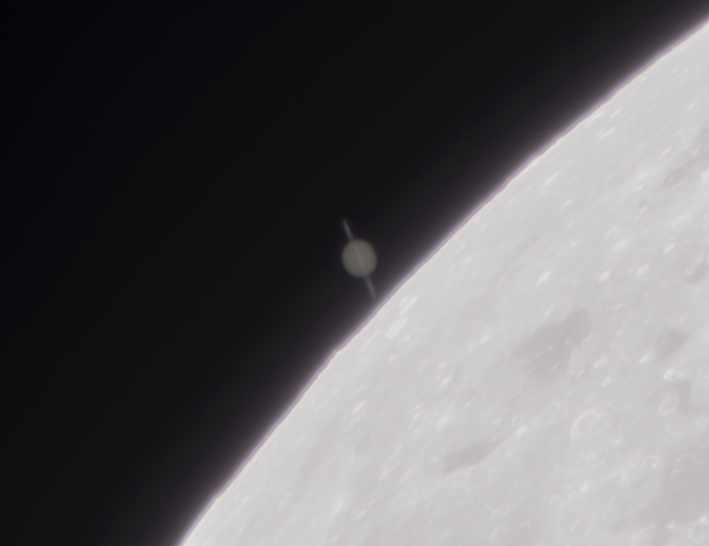
Totally. I did get a quite pleasing result but a composite is still a better choice
Need Help Processing Comet Images Taken With seastar
Hello everyone! I’m reaching out because I’m feeling a bit lost when it comes to processing comet images taken with the Seastar. This year, I captured two different comets, but I'm not sure how to process them. I tried following the tutorial from Dee...
Processing comet images may share similar techniques for handling bright/dim objects.
Monitor calibration in astrophotography — what’s your experience?
Hi everyone, I’m posting this in the Processing section because I believe monitor calibration directly affects how we stretch, color balance, and finalize our deep sky images. It's part of the workflow — whether we realize it or not. Until recent...
Monitor calibration affects stretching and color balance in astronomical image processing.
Which imaging acquisition and processing techniques could I learn more about to increase image quality and accuracy?
Hello, I use a full-frame mirrorless camera, I mostly do daylight photography, some night photography and astrophotography too. I did hightlight in bold keywords to make it easier to scroll thru, for those that don't want to read most of my post. Bef...
Image quality improvement techniques applicable to lunar occultation processing challenges.