I am looking to print one or two of my pics, and I've heard it can be very finicky trying to capture the contrast in the image and get the brightness to shine through on paper. Anyone have any tips/suggestions or a website that walks one through how to go about preparing a file for printing?
How do you prepare a photo file for high quality printing?

Well written Engaging

I print a few of my images on an Epson ET8550 at home and just open the file in photoshop and apply a gentle curves boost to the entire image. When you view images that aren't on a backlit screen, they generally need a little curves boost. I'm not sure that this is the right way to ga about it though so would be interested in other's opinions.
Engaging

I found images usually need a boost in exposure/highlights to look right on print. Without a backlit screen, they'll appear darker.
I also tried (unsuccessfully) a few different printer options. I went with WhiteWall's acrylic, recommended in the video below, and was not disappointed.
Astrophotography looks good on acrylic IMO (better than metal or canvas). I haven't tried regular paper prints yet.
https://youtu.be/mJ5zo1AQZPE?si=pbqdC-7d8948xr44
I also tried (unsuccessfully) a few different printer options. I went with WhiteWall's acrylic, recommended in the video below, and was not disappointed.
Astrophotography looks good on acrylic IMO (better than metal or canvas). I haven't tried regular paper prints yet.
https://youtu.be/mJ5zo1AQZPE?si=pbqdC-7d8948xr44
Helpful

I've gotten good results on metal from both Mpix and BayPhoto. They both have pretty good tools for composing and some editing of your uploaded image but it is best to have it pretty sorted out on the front end. Both have been true to colors and brightness. Never tried acrylic. Might have to one of these days.

I agree with the other responses. I have published my own book and while it turned out pretty nice, I could have added an extra 15-18% brightness to my images, especially with the ones that had a very dark background.
When I have canvas prints made I always boost the overall brightness of the image 15% and have been very happy with the results.
When I have canvas prints made I always boost the overall brightness of the image 15% and have been very happy with the results.
Well written Concise

The thing that ultimately saved a ton of money on ink (print, reprints etc.) is a monitor calibration tool like a Spyder. Once the monitor was dialed in for brightness and colors, the prints came out nearly perfect. I was surprised at how dim my monitor needed to be to properly represent brightness for photo output - not something I would use for daily use. When photo editing, I switch my monitor to the custom calibration (darker) and set all the photos up for printing. You may still need to perform a 10-15% brightness boost on the final printed photo anyway.
Well written Helpful Insightful Concise

I would only add that you need to check the color space that the printer will use. sRGB should work in most situations but many printers can handle Adobe RGB (adobe1998) and even ProPhoto RGB. Paying attention to the color space will make it easier to render a WYSIWYG kind of result. Otherwise stated, trying to match colors, contrast and brightness you see on your screen and on the printed photo paper
Helpful
Arthur:
The thing that ultimately saved a ton of money on ink (print, reprints etc.) is a monitor calibration tool like a Spyder. Once the monitor was dialed in for brightness and colors, the prints came out nearly perfect. I was surprised at how dim my monitor needed to be to properly represent brightness for photo output - not something I would use for daily use. When photo editing, I switch my monitor to the custom calibration (darker) and set all the photos up for printing. You may still need to perform a 10-15% brightness boost on the final printed photo anyway.
So you suggest Spyder? It seems a bit expensive but if it saves me a ton of time fiddling with shitty pictures, then I might go for it to 'guarantee' results
Arthur:
The thing that ultimately saved a ton of money on ink (print, reprints etc.) is a monitor calibration tool like a Spyder. Once the monitor was dialed in for brightness and colors, the prints came out nearly perfect. I was surprised at how dim my monitor needed to be to properly represent brightness for photo output - not something I would use for daily use. When photo editing, I switch my monitor to the custom calibration (darker) and set all the photos up for printing. You may still need to perform a 10-15% brightness boost on the final printed photo anyway.
So you suggest Spyder? It seems a bit expensive but if it saves me a ton of time fiddling with shitty pictures, then I might go for it to 'guarantee' results
I picked mine up refurbished on ebay directly from the manufacturer for a steep discount. That said, it's still pricier than a value pack of ink so whether it's worth it is completely up to you. Guillermo has a point, though, you can try matching up the color space of your printer and monitor (check your photo editing program too) so it's consistent across the board. You might be able to get away with simply noting your brightness adjustment down somewhere once you get the for-print settings dialed in. I took the short cut and went straight for the calibration tool because all three panels I use are different (IPS, AMVA, and OLED) and I didn't want to second guess myself. Hope this helps!
Helpful

I am looking to print one or two of my pics, and I've heard it can be very finicky trying to capture the contrast in the image and get the brightness to shine through on paper. Anyone have any tips/suggestions or a website that walks one through how to go about preparing a file for printing?
If you can get ahold of the ICC profiles for whatever printers will be used to print your images, then using that, along with Photoshop's Print Proofing capabilities is the best way to tune any image for printing on that specific printer.
I used to do my own printing, and I've used a few different printers over the years. I even purchased a full calibration system so I could calibrate my computer monitors as well as my printers myself, for any paper I might want to use. In the long run, outside of a few rare papers that did not have ICC profiles available online, I found that official ICC profiles from most paper manufacturing companies were usually excellent, and I did not need to produce my own.
I spent a lot of time using the Photoshop print proofing capabilities when I was making my own profiles and doing my own prints. I don't know of anything else that will give you quite the same kind of "as if it was printed" on-screen preview of your images, or show you things like true paper white and black points, and how printing with a particular printer and paper (i.e. the ICC profile) will affect your colors as well as contrast, details in the blacks (in particular, a key issue for astrophotography), checking for out of gamut colors (often a problem, particularly with magenta, deep blues, deep reds, yellows, etc.) It takes a little bit of getting used to, and learning how to choose the ICC profile you want to proof with, learning how to enable out of gamut warnings (as well as how to correct those kinds of issues), learning how an when to use paper white an dMax black point settings, etc. Once you get the hang of it, though, IMO there is no better way to properly and optimally tune an astrophoto for print, on any printer...so long as you can find the ICC profiles for said printer and PAPER SELECTION.
Helpful
There is always the option of using a colour profiling device. They send you a pdf to print, you post that printed page to them and they create a profile and send to you via email.
unused this website last time (uk) and the cost was only £15. It made a huge difference. The website appears to be offline at the moment but hopefully that’s temporary.
https://www.colourphil.co.uk/profiling.shtml
unused this website last time (uk) and the cost was only £15. It made a huge difference. The website appears to be offline at the moment but hopefully that’s temporary.
https://www.colourphil.co.uk/profiling.shtml

Derek Vasselin:
I found images usually need a boost in exposure/highlights to look right on print. Without a backlit screen, they'll appear darker.
I also tried (unsuccessfully) a few different printer options. I went with WhiteWall's acrylic, recommended in the video below, and was not disappointed.
Astrophotography looks good on acrylic IMO (better than metal or canvas). I haven't tried regular paper prints yet.
https://youtu.be/mJ5zo1AQZPE?si=pbqdC-7d8948xr44
How do you find WhiteWall's print quality?? I'm in New Zealand and just purchased a print on ChromaLuxe as a fathers day gift for the old man but my brother who lives in the UK wants me to shoot Andromeda Galaxy so I was thinking of getting it printed on ChromaLuxe again as an Xmas present this year but just curious on if you recommend WhiteWall or not??
Cheers and CS
- Sam

Derek Vasselin:
I found images usually need a boost in exposure/highlights to look right on print. Without a backlit screen, they'll appear darker.
I also tried (unsuccessfully) a few different printer options. I went with WhiteWall's acrylic, recommended in the video below, and was not disappointed.
Astrophotography looks good on acrylic IMO (better than metal or canvas). I haven't tried regular paper prints yet.
https://youtu.be/mJ5zo1AQZPE?si=pbqdC-7d8948xr44
I would second the great experience with Whitewall and their acrylic product. Excellent production quality.
BUT, as also mentioned, deep sky images are very dark and you to push them to have more pop than for the computer screen and dark images are hard to see without backlit screen (which ai have noch found on Whitewall)
My worst case was a beautiful milkyway wide angle mosaic - brilliant image but poorly printed, as its mostly dark background, but you want to print bright objects.
what works realy well are bright and colorful nebulae like Rosetta in SHO
Arny

I have tried several print products with WhiteWall and Saal Digital and decided to stick with the latter. I am printing now on alu-dibond matt, as I don't like the reflections being visible and the quality of that metallic print is superb to my POV.
I have calibrated my laptop display only for suitable gamma using the windows calibration tool. That was all.
I have calibrated my laptop display only for suitable gamma using the windows calibration tool. That was all.
Helpful

I’ve been very happy with Nevada Art Printers, both paper and acrylic. FWIW, their advice for astro photo brightness is to set your display at its dimmest setting and adjust brightness accordingly.
Here’s a very comprehensive review of several print services:
https://www.mattpaynephotography.com/page/best-photography-print-labs/
Cheers,
Scott
Here’s a very comprehensive review of several print services:
https://www.mattpaynephotography.com/page/best-photography-print-labs/
Cheers,
Scott
Well written Concise
Sam Badcock:Derek Vasselin:
I found images usually need a boost in exposure/highlights to look right on print. Without a backlit screen, they'll appear darker.
I also tried (unsuccessfully) a few different printer options. I went with WhiteWall's acrylic, recommended in the video below, and was not disappointed.
Astrophotography looks good on acrylic IMO (better than metal or canvas). I haven't tried regular paper prints yet.
https://youtu.be/mJ5zo1AQZPE?si=pbqdC-7d8948xr44
How do you find WhiteWall's print quality?? I'm in New Zealand and just purchased a print on ChromaLuxe as a fathers day gift for the old man but my brother who lives in the UK wants me to shoot Andromeda Galaxy so I was thinking of getting it printed on ChromaLuxe again as an Xmas present this year but just curious on if you recommend WhiteWall or not??
Cheers and CS
- Sam
I'd be interested to try the other printers mentioned in the responses prior to this, but yes, overall I've been happy with WhiteWall.
They do post their ICC profile, so you can look that up.
I find I have to boost the exposure to get it to print correctly usually +/- a half stop. Slightly less for bright nebulas, slightly more for something with a lot of black and dimmer objects.
I might boost reds ever so slightly on some images. That's probably the weakest color on their printers.
Helpful Concise
Derek Vasselin:Sam Badcock:Derek Vasselin:
I found images usually need a boost in exposure/highlights to look right on print. Without a backlit screen, they'll appear darker.
I also tried (unsuccessfully) a few different printer options. I went with WhiteWall's acrylic, recommended in the video below, and was not disappointed.
Astrophotography looks good on acrylic IMO (better than metal or canvas). I haven't tried regular paper prints yet.
https://youtu.be/mJ5zo1AQZPE?si=pbqdC-7d8948xr44
How do you find WhiteWall's print quality?? I'm in New Zealand and just purchased a print on ChromaLuxe as a fathers day gift for the old man but my brother who lives in the UK wants me to shoot Andromeda Galaxy so I was thinking of getting it printed on ChromaLuxe again as an Xmas present this year but just curious on if you recommend WhiteWall or not??
Cheers and CS
- Sam
I'd be interested to try the other printers mentioned in the responses prior to this, but yes, overall I've been happy with WhiteWall.
They do post their ICC profile, so you can look that up.
I find I have to boost the exposure to get it to print correctly usually +/- a half stop. Slightly less for bright nebulas, slightly more for something with a lot of black and dimmer objects.
I might boost reds ever so slightly on some images. That's probably the weakest color on their printers.
My monitor is colour calibrated using the spider software but do you still recommend using their ICC profiles and making very minor adjustments??
Sam Badcock:Derek Vasselin:Sam Badcock:Derek Vasselin:
I found images usually need a boost in exposure/highlights to look right on print. Without a backlit screen, they'll appear darker.
I also tried (unsuccessfully) a few different printer options. I went with WhiteWall's acrylic, recommended in the video below, and was not disappointed.
Astrophotography looks good on acrylic IMO (better than metal or canvas). I haven't tried regular paper prints yet.
https://youtu.be/mJ5zo1AQZPE?si=pbqdC-7d8948xr44
How do you find WhiteWall's print quality?? I'm in New Zealand and just purchased a print on ChromaLuxe as a fathers day gift for the old man but my brother who lives in the UK wants me to shoot Andromeda Galaxy so I was thinking of getting it printed on ChromaLuxe again as an Xmas present this year but just curious on if you recommend WhiteWall or not??
Cheers and CS
- Sam
I'd be interested to try the other printers mentioned in the responses prior to this, but yes, overall I've been happy with WhiteWall.
They do post their ICC profile, so you can look that up.
I find I have to boost the exposure to get it to print correctly usually +/- a half stop. Slightly less for bright nebulas, slightly more for something with a lot of black and dimmer objects.
I might boost reds ever so slightly on some images. That's probably the weakest color on their printers.
My monitor is colour calibrated using the spider software but do you still recommend using their ICC profiles and making very minor adjustments??
I personally don't and the images look fine to me. Depends what you're trying to do.
Personal use? Probably not necessary. Fine art competition? Yes.
You can also order test prints from white wall, in any size. I find that helpful.
Vitaly:
I have tried several print products with WhiteWall and Saal Digital and decided to stick with the latter. I am printing now on alu-dibond matt, as I don't like the reflections being visible and the quality of that metallic print is superb to my POV.
I have calibrated my laptop display only for suitable gamma using the windows calibration tool. That was all.
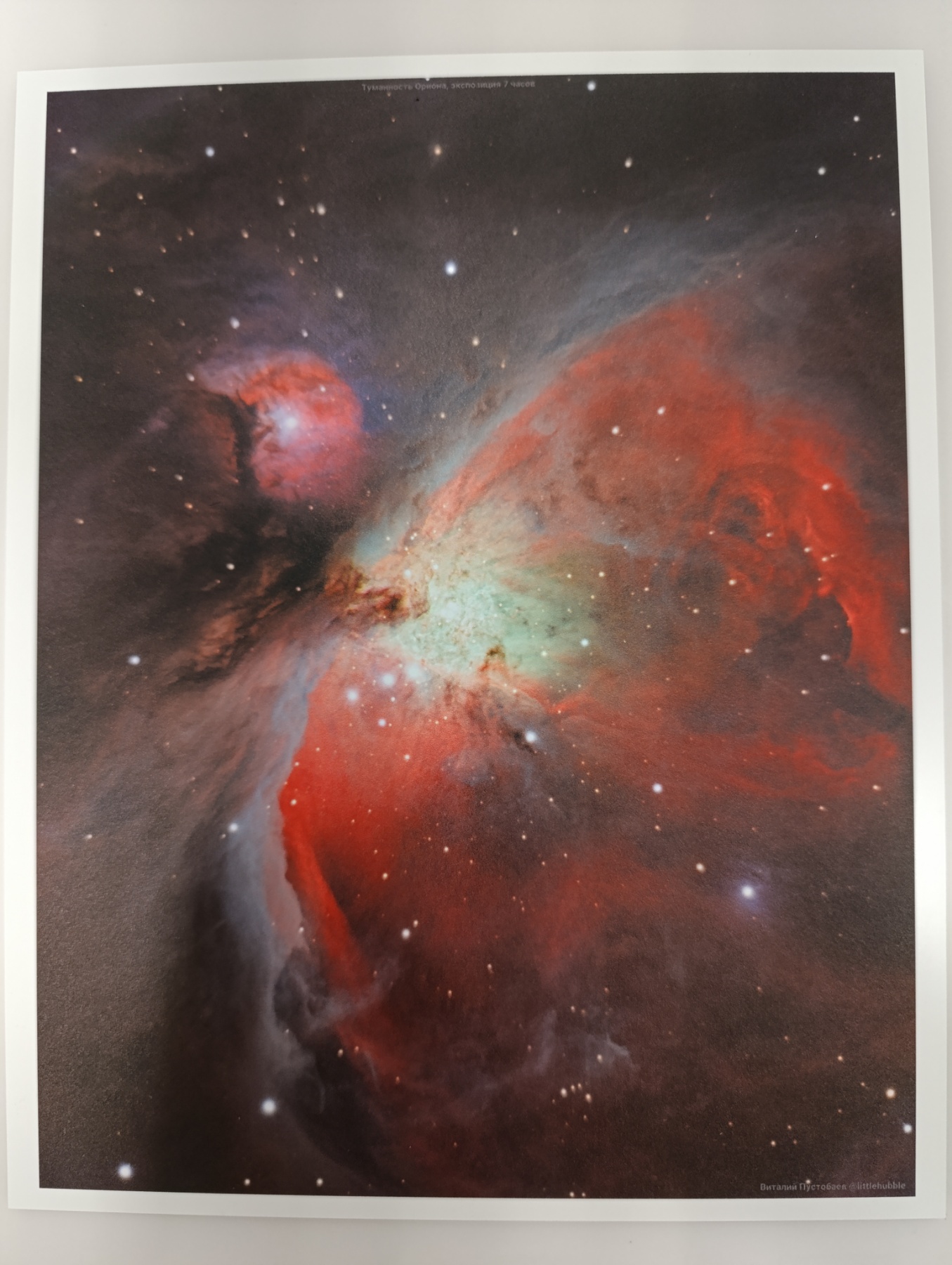
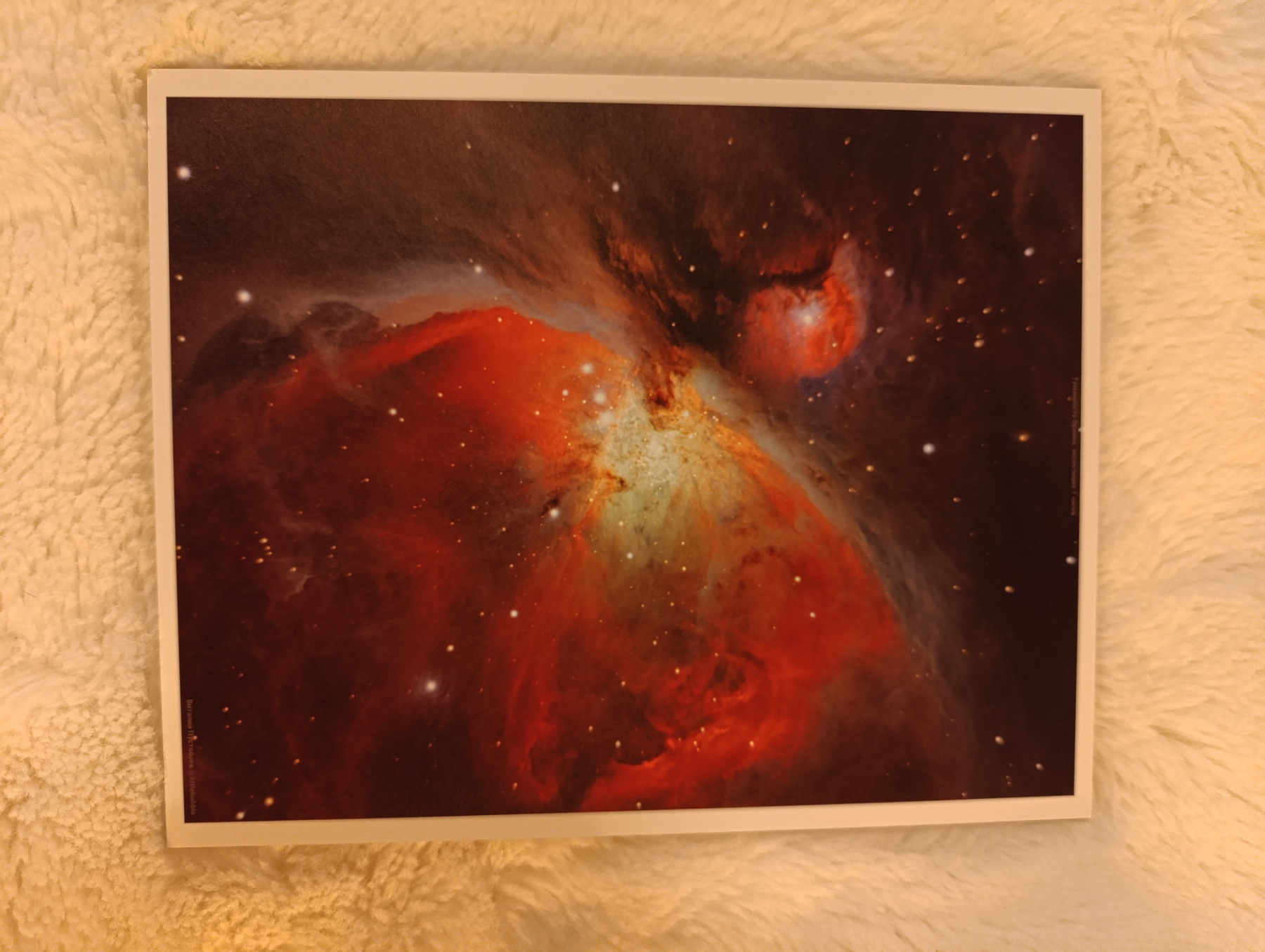
Here is a new print of my latest work for M42
In reality it looks mucher better of course than those taken with my smartphone.
Under cold artificial lights:
Under warm artificial lights:

I do it by having labs print a conventional 4x6 or whatever of the image, I have a color calibrator, and I know the monitor is close, but what is never right is brightness..
After I have a print from the lab, I adjust the monitor until the brightness roughly equals what I have on paper in front of my face. From there I can then adjust the gamma of the image till I get the desired brightness... And have another small proof print done. This can be an iterative process.
I find in my case I normally need about a 20% boost to gamma on my image files to get what I want from the lab. But spending a few bucks having them make proofs for you means the world when you get to the point where you're paying hundreds for the final mounted versions. I use BayPhoto.com and have been quite happy with their results.
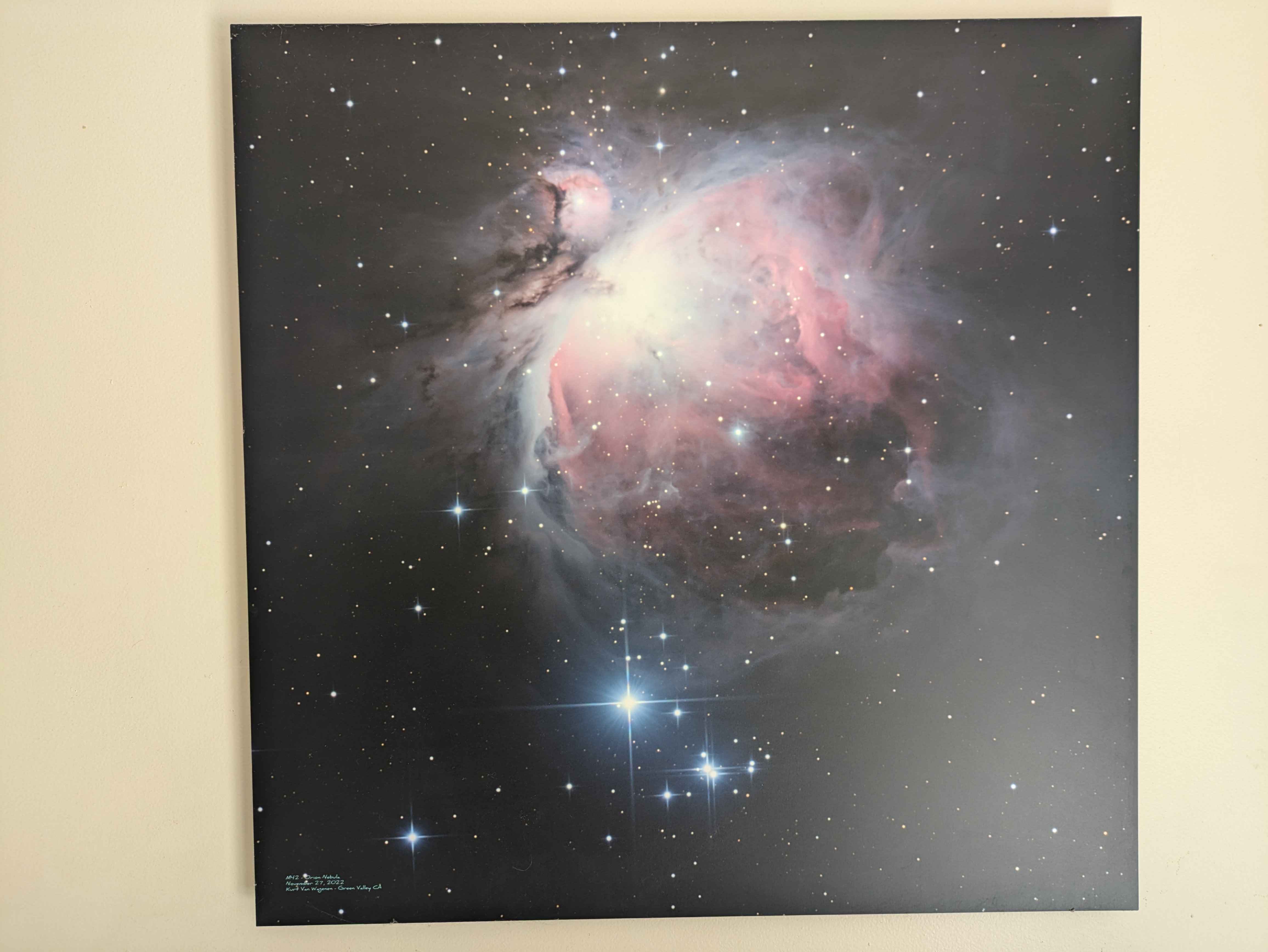
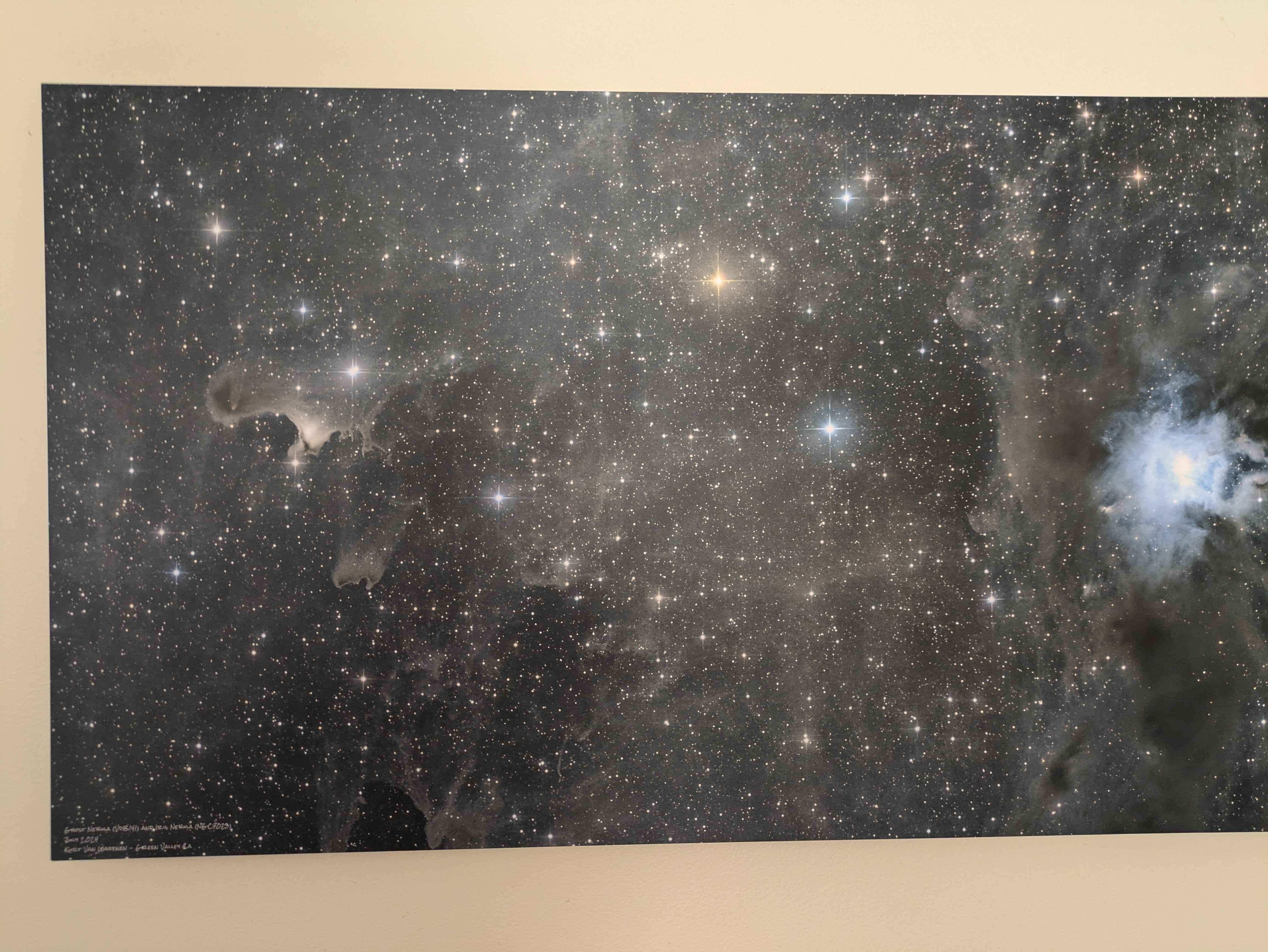
The ones shown are their 'Epic Prints' which are silver halide prints on Fuji Matte and mounted on aluminum. I have tried the aluminum metal prints and was not happy with the color or resolution, these 'epic' prints ones are kind of best of both worlds, giving all the color of paper, with the cool look of metal prints.
The light bloom in the lower right of orion is from a large bright window nearby, and is not gradient
These two are from images in my gallery here on AB, if you want an idea what the originals look like, the AB ones are not gamma adjusted for print tho... Orion is printed at 24x24inches, and iris and ghost neb is at 16x30
After I have a print from the lab, I adjust the monitor until the brightness roughly equals what I have on paper in front of my face. From there I can then adjust the gamma of the image till I get the desired brightness... And have another small proof print done. This can be an iterative process.
I find in my case I normally need about a 20% boost to gamma on my image files to get what I want from the lab. But spending a few bucks having them make proofs for you means the world when you get to the point where you're paying hundreds for the final mounted versions. I use BayPhoto.com and have been quite happy with their results.
The ones shown are their 'Epic Prints' which are silver halide prints on Fuji Matte and mounted on aluminum. I have tried the aluminum metal prints and was not happy with the color or resolution, these 'epic' prints ones are kind of best of both worlds, giving all the color of paper, with the cool look of metal prints.
The light bloom in the lower right of orion is from a large bright window nearby, and is not gradient
These two are from images in my gallery here on AB, if you want an idea what the originals look like, the AB ones are not gamma adjusted for print tho... Orion is printed at 24x24inches, and iris and ghost neb is at 16x30
Helpful
Printing astro photos
Hello everyone, I've never printed any of my pictures before and I am about to, so I was wondering if some of you that experimented a bit with that could tell me if they rather go with a print on aluminium, or under acrylic. Thank you
Discusses photo file preparation for high quality printing, directly relevant to author's printing needs.
What nebula is this?
Hello. This nebula is used as a print in one specific carpet, but I can't recognise the nebula. What in the world is it?? I tried to identify it with astrometry.net upload tool but got only a dead end. Any suggestions?
Author needs printing advice for nebula carpet design image.
Print on Demand - Wall Prints?
As some of you know, I have made my books available on Amazon through print-on-demand, which allows authors to publish and sell physical books without upfront costs, as copies are only printed when a customer places an order. I am not involved in pro...
Print-on-demand discusses printing but focuses on book publishing, not photo preparation.
Upcoming Astrophotography Art Gallery Oct- Dec 2025
Hi Everyone Since I have started in this great hobby, I began printing my images on aluminum in 2020 and continued to do so to the present. While, I in fact have one entire wall in my home office decorated with astrophotography, I have also decorated...
Author shares experience printing astrophotography images on aluminum; relevant to printing photos.