Combining RGB and Luminance in Siril 1.2.0

6 replies493 views
Alien_Enthusiast avatar
Hi dear AstroBinners

Quick question

How do I combine RGB and Luminance?

I know how to combine L R G B, where in color composing you upload L R G B and then it comes together. 

However in that case you strech everything at once, and I would want to stretch RGB and luminance separately and then combine.

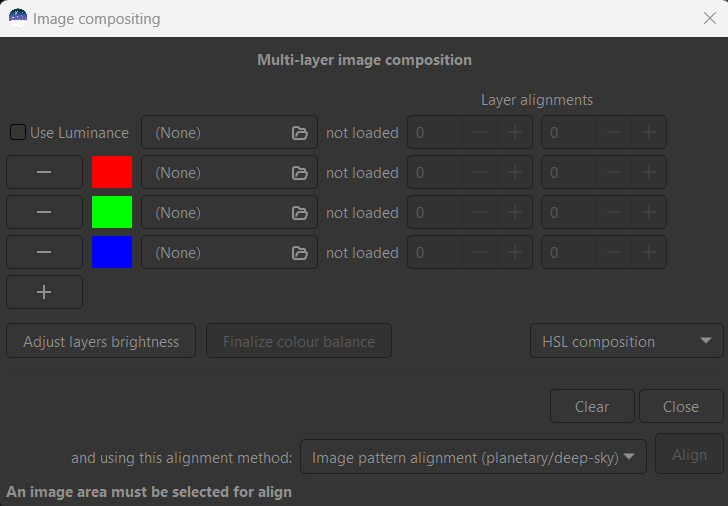
If I just upload RGB and then stretch and by the end try uploading lumin - the whole stretch dissapears. Same thing if I upload lumin but dont click "use it". When I do click it, the whole stretch zeros back to default. Seems like it was not meant to be used like this.

And in the composing window there are only individual colors, with no RGB option as a one thing. If I upload RGB into one of them - it displays as a single color which is not what I want.

Any advice on this?
Taman avatar
A workaround for this is to split your colour image into R-G-B using Image Processing - Extraction - Split Channels, then recombine with your luminance in the compositor tool. Another way to do this is in Photoshop (or GIMP) by adding the luminance as a layer and changing blend mode to luminance. Hope this helps.

Cs, Tony.
Well Written Helpful Concise
TStew avatar
I think all the options in SiriL (pixelmath being another option I believe) usually combine individual channels so you may have to go through the extra step of splitting your RGB channels back out if you want to do it in SiriL with like the color composition tool. Not sure about pixelmath, there is likely a way to combine everything there but I have not tried it. Maybe someone can chime in with a PM formula.

I like SiriL for RGB combination (in linear), then can run things that still want linear data like photometric color calibration, denoise, etc, then GHST stretch. Work on your L channel separate, clean it up and stretch it. Then I add L to RGB as a layer in Gimp. As a luminance layer in Gimp, you can do some processes on it while watching the results in realitime… levels, curves, etc, duplicate layers to non destructively try different things.
Tom Gray avatar
Nebulosity 4 - now made available as freeware by Craig Stark has ability to add L to an RGB frame. In Siril, extracting the channels is the only way I’m aware of doing this.
cin avatar
As far as I know, traditional technique for combining LRGBs is to create details by stretching L and adding RBG for coloring. So stretching of R, G and B is not required.
Alien_Enthusiast avatar
Tom Gray:
Nebulosity 4 - now made available as freeware by Craig Stark has ability to add L to an RGB frame. In Siril, extracting the channels is the only way I’m aware of doing this.

Could you please send me a link to that software? Thank you very much!
Well Written Respectful
Tom Gray avatar
Alien_Enthusiast:
Could you please send me a link to that software? Thank you very much!


https://github.com/celstark/OpenNebulosity
Related discussions
[RCC] Sh2-136 Ghost Nebula LRGB
Dear fellow astrophotographers, While searching for a broadband target at this time of year, I ended up capturing the Ghost Nebula. I managed to capture 24 hours and 30 minutes of LRGB monochrome data with which I am satisfied. I stacked and processe...
LRGB processing includes luminance channel combination and stretching techniques.
May 3, 2025
Hoping for someone to explain some Pixelmath
Looking for some pixel math help. Mostly to just understand what I’m doing. I see what it does, and I understand the process as a whole, but just don’t know what each expression is doing. For reference I’m getting these from this website: https://www...
Pixelmath can be used to combine RGB and luminance channels separately.
Aug 30, 2025